

Casio module 3191: manual and setup (LA670WE)
03.09.2026
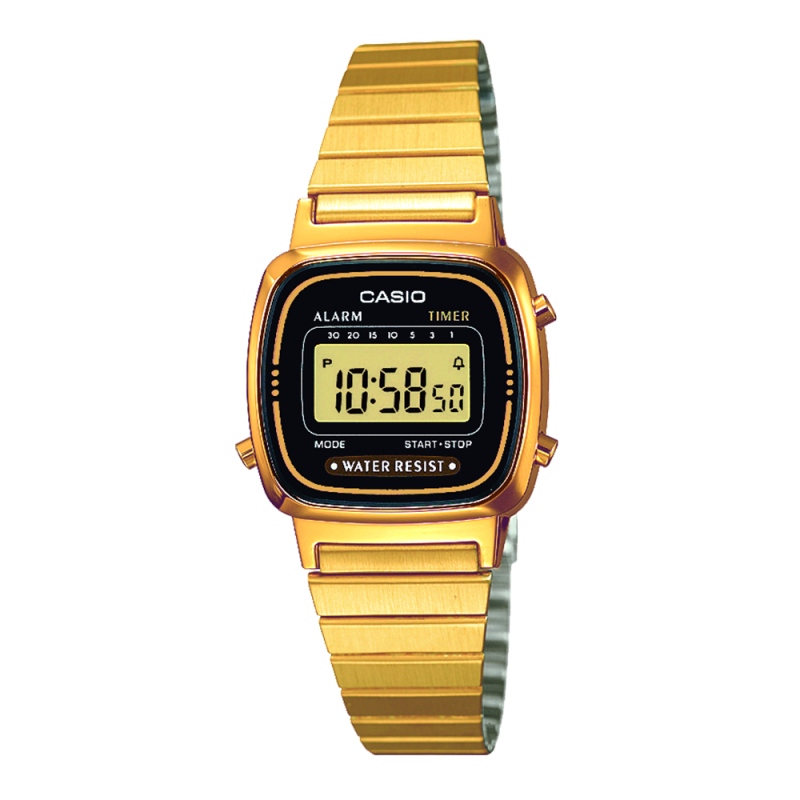
Casio module 3191: user manual and setup (LA670WEA, LA670WEGA, LA670WEM)
The module number is engraved on the back cover of the watch. It is a small number written separately from the model name. If it says 3191, the manual below applies to your watch. The steps are taken from the official Casio manual for this module.
Which watches use module 3191
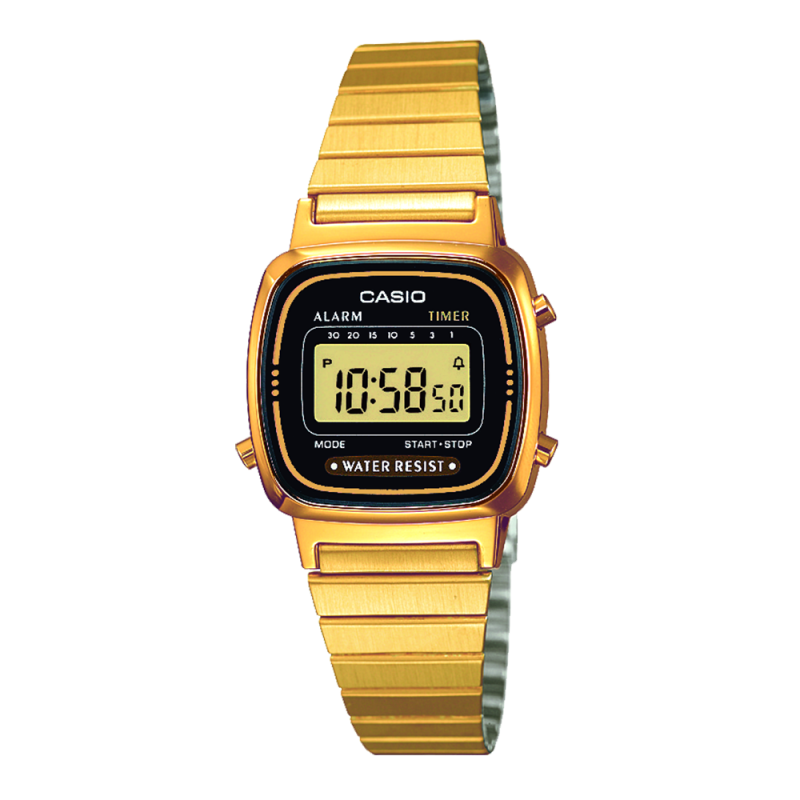
Module 3191 is digital. The display is dual and shows the hour, minutes, seconds and a P.M. indicator for afternoon hours. A separate line shows the month, date and day of the week. The day is shown as an abbreviation: SU for Sunday, MO for Monday, TU for Tuesday, WE for Wednesday, TH for Thursday, FR for Friday and SA for Saturday. The module is used in the following models from the LA670 series at Classic:
- LA670WEGA-1EF – Casio Collection LA670WEGA-1EF
- LA670WEA-7EF – Casio Collection LA670WEA-7EF
- LA670WEM-7EF – Casio LA670WEM-7EF
- LA670WEMY-9EF – Casio LA670WEMY-9EF Watch
- LA670WEA-1EF – Casio Collection LA670WEA-1EF
Buttons and modes
The manual describes three buttons: A, B and C. Button A changes values during setting and plays a sound demonstration. Button B moves the flashing position during setting and sets the countdown period. Button C completes the setting and returns the watch to the time display.
There are four modes: normal timekeeping, daily alarm, stopwatch, and time and calendar setting. An indicator on the display shows which mode you are in. The countdown timer is controlled from the Timekeeping Mode with button B.
The watch has an auto-return function. If you do not press a button for one to two minutes, the display returns to timekeeping on its own. The calendar with month, date and day is shown while you hold the corresponding button. When you release it, the time is shown again.
How to set the time and date
- Enter the time and calendar setting mode. The seconds flash first.
- Press A exactly on a time signal to correct the seconds.
- Press B to move the flashing position. The order is seconds, hour, minutes, day of the week, date, month.
- Each press of A increases the flashing value by one. Hold A for fast scrolling.
- Press C to complete the setting. The watch returns to the time display.
The calendar is automatic. February is set to 28 days. The time is in 12-hour format, and afternoon hours are marked with a P.M. indicator.
Daily alarm and hourly time signal
When the daily alarm is on, the alarm sounds for 20 seconds every day at the set time. It stops when you press any button. If the hourly time signal is on, the watch beeps briefly on every full hour.
Setting the alarm time:
- Enter the daily Alarm Mode and open the time setting screen.
- Each press of A increases the alarm hour by one hour.
- Move on to setting the minutes. Each press of A increases them by one minute.
- Hold A for more than 2 seconds for fast scrolling. The value stops when you release the button.
- Press C to return to the time display.
Turning on and off is done with successive presses in the Alarm Mode. The display cycles through four states. Both indicators on – both the alarm and the hourly time signal sound. No indicators – nothing sounds. Only the alarm indicator on – only the daily alarm sounds. Only the time signal indicator on – only the signal on the full hour sounds.
To test the sound, hold A in the Alarm Mode. The alarm sounds while the button is pressed.
Countdown timer
The period can be set from 1 to 30 minutes. Press B as many times as needed. Each press changes the period in the order 1, 3, 5, 10, 15, 20 and 30 minutes. After 30 minutes comes RESET and the countdown is cleared. An indicator on the display shows the selected period. The countdown starts the moment you release B. When it reaches zero, the alarm sounds for 10 seconds. It stops when you press any button.
Stopwatch
The stopwatch measures to 1/10 of a second. The range is up to 59 minutes and 59.9 seconds. For longer measurements, reset and start again. A beep confirms each start and stop. The mode is net time: start, stop, restart, stop and reset. This way only the time while the stopwatch is running is counted, without the pauses.
Accuracy and battery
Accuracy at normal temperature is ±30 seconds per month. The battery is type CR1216. Its life is about 2 years with an average of 20 seconds of alarm per day.
The original Casio manual (PDF)
Casio module 3191 manual (PDF, English) is the official document from the manufacturer with the full description of the functions.
Casio at Classic. Browse all Casio watches at Classic or the manuals for all Casio modules. The watches can be seen in person at Boutique CLASSIC on Knyaz Boris I 32 and at Mall Varna in Varna, Bulgaria.