

Casio module 3200: manual and setup
03.09.2026
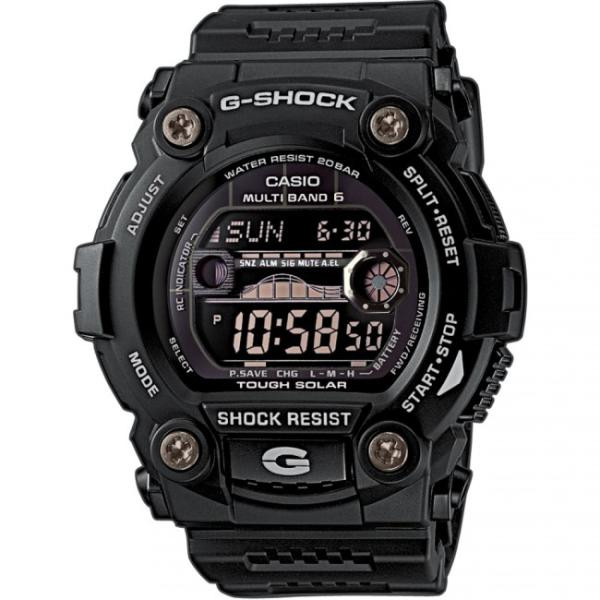
Casio module 3200: user manual and setup (GW-7900B)
The module number is engraved on the back of the watch, next to the other markings on the case back. If it says 3200, this manual applies to your watch. Module 3200 shares one manual with module 3193. The difference is in the display: on 3200 the digits are light on a dark background.
Which watches have module 3200
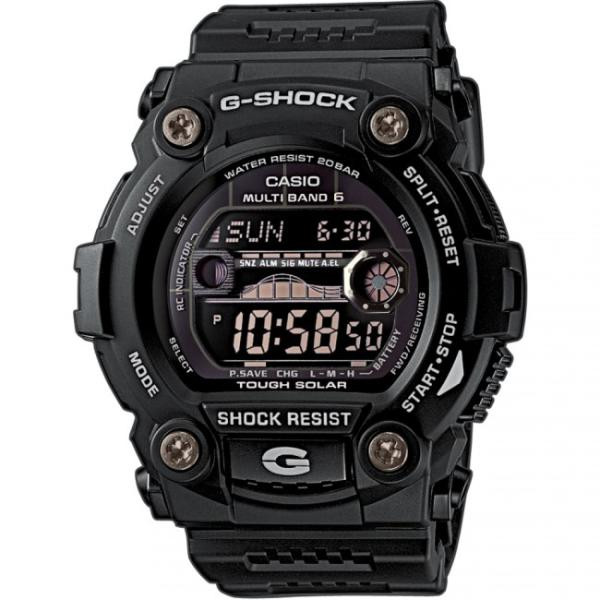
Module 3200 is digital. It has solar charging, radio-controlled time, World Time, an alarm, tide and moon data, a countdown timer and a stopwatch. At Classic this module is in the following model:
Buttons and modes
The manual marks the buttons with the letters A, B, C, D and L. Button C changes the modes. Button L turns on the display illumination in every mode, except when a setting screen is open. Button A opens and closes the setting screen. Buttons D and B change the values during setting.
The modes cycle by pressing C in the following order:
- Timekeeping Mode – current time
- World Time Mode – world time
- Alarm Mode – alarm
- Tide/Moon Data Mode – tide and moon phase data
- Countdown Timer Mode – countdown timer
- Stopwatch Mode – stopwatch
How to set the time and date
The watch adjusts the time automatically by radio signal. The first thing to do after purchase is to select your Home City. This is the city where you will normally wear the watch.
- In Timekeeping Mode, hold down button A until the city code starts to flash. This is the setting screen.
- Use button D (east) and button B (west) to select your city code.
- Press A to exit the setting screen.
For Bulgaria the suitable code is ATH (Athens). The other European codes are LIS, LON, MAD, PAR, ROM, BER, STO and MOW. After selecting the city, the watch usually shows the correct time right away. If not, it corrects itself at the next automatic receive operation during the night. You can start a manual receive operation or set the time manually. Manual setting is needed when you are outside the range of the transmitters.
Radio-controlled time
The watch receives a time calibration signal from transmitters in Germany (Mainflingen), England (Anthorn), the USA (Fort Collins), China (Shangqiu) and Japan (Fukushima, Fukuoka/Saga). The US signal is received within North America.
Reception works in two ways. Auto receive is performed up to 6 times a day, for the Chinese signal up to 5 times. After a successful receive operation, the remaining attempts for the day are not performed. Manual receive is started by pressing a button. Reception can be turned off. By factory default it is turned off for the codes MOW, HNL and ANC.
Auto receive takes place late at night. For the city ATH at standard time the attempts start at 3:00, 4:00, 5:00, midnight, 1:00 and 2:00. During daylight saving time the first attempt is at 4:00. When you take the watch off in the evening, leave it by a window. The 12 o'clock side should point toward the window. There should be no metal objects nearby.
Power and charging
The solar cell converts light into electricity. It is stored in a rechargeable battery. The battery charges in the light and discharges in the dark. So keep the watch in the light as much as possible. When you are not wearing it, turn the face toward a strong light source. Wear it outside your sleeve, because a partially covered face charges significantly less.
The watch also works without light. Staying in the dark for a long time drains the battery and some functions are turned off. If the battery is fully drained, the settings must be entered again after charging. The manual describes four battery levels. At level 1 and 2 all functions work. At level 3 and 4 some or all functions are turned off.
Frequent illumination drains the battery quickly. One illumination is compensated by about 5 minutes in bright sunlight through a window. The same is achieved with about 8 hours under indoor fluorescent lighting.
Power saving function
If the display is blank, the watch is in power saving mode. The function turns off the display to save charge. The details are in the Power Saving Function section of the manual.
Illumination
The illumination is turned on with button L. It works in every mode, but not while a setting screen is open. Remember that frequent use requires more charging.
Accuracy and purpose of the measurements
The measurement functions are not intended for professional or industrial precision. The values are approximate. The moon phase indicator and the tide graph are not for navigation. The watch does not calculate the exact times of high and low tide, but shows approximate movement.
The original Casio manual (PDF)
The full steps for manual setting, alarm, countdown timer and stopwatch are in the document. Casio module 3200 manual (PDF, English) is the official Casio document for modules 3193 and 3200.
Casio at Classic. Browse all Casio watches at Classic or check the manuals for all Casio modules. You will find the watches in person at Boutique CLASSIC on Knyaz Boris I 32 and at Mall Varna.