

Casio module 3296: manual and setup (BLX-560)
03.09.2026
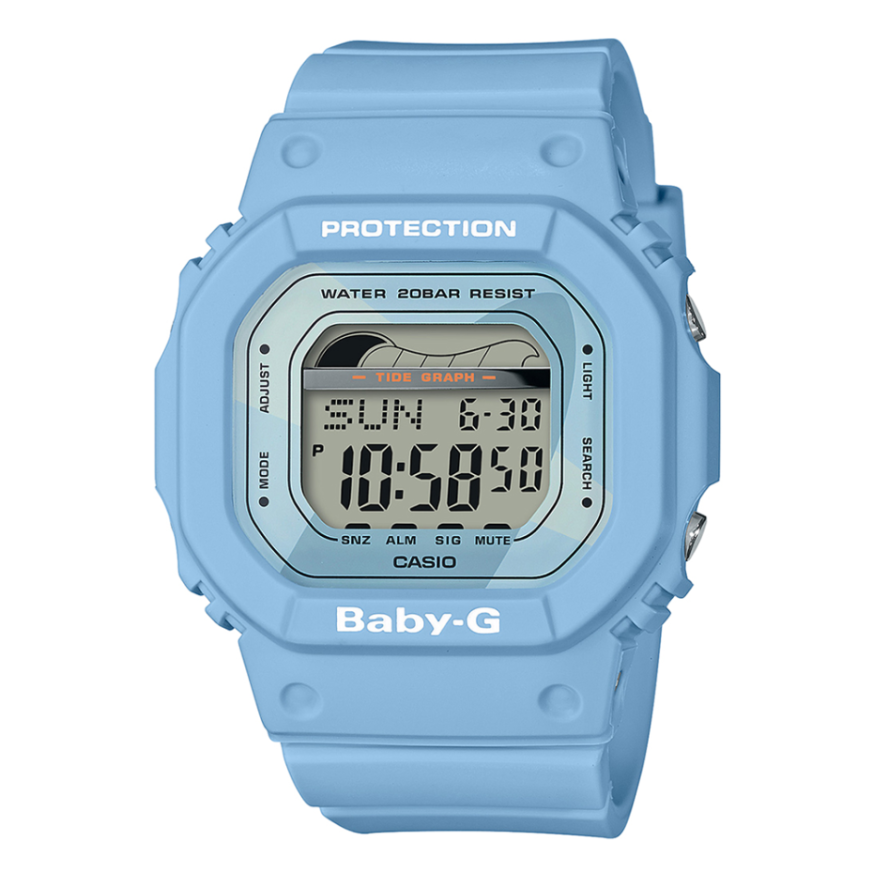
Casio module 3296: user manual and setup (BLX-560)
The module number is engraved on the case back among the technical markings. If it says 3296, this manual is for your watch. The Casio manual for this module covers the time, date, daylight saving time, tide and moon data, world time, stopwatch, timer, alarms and illumination.
Which watches use module 3296
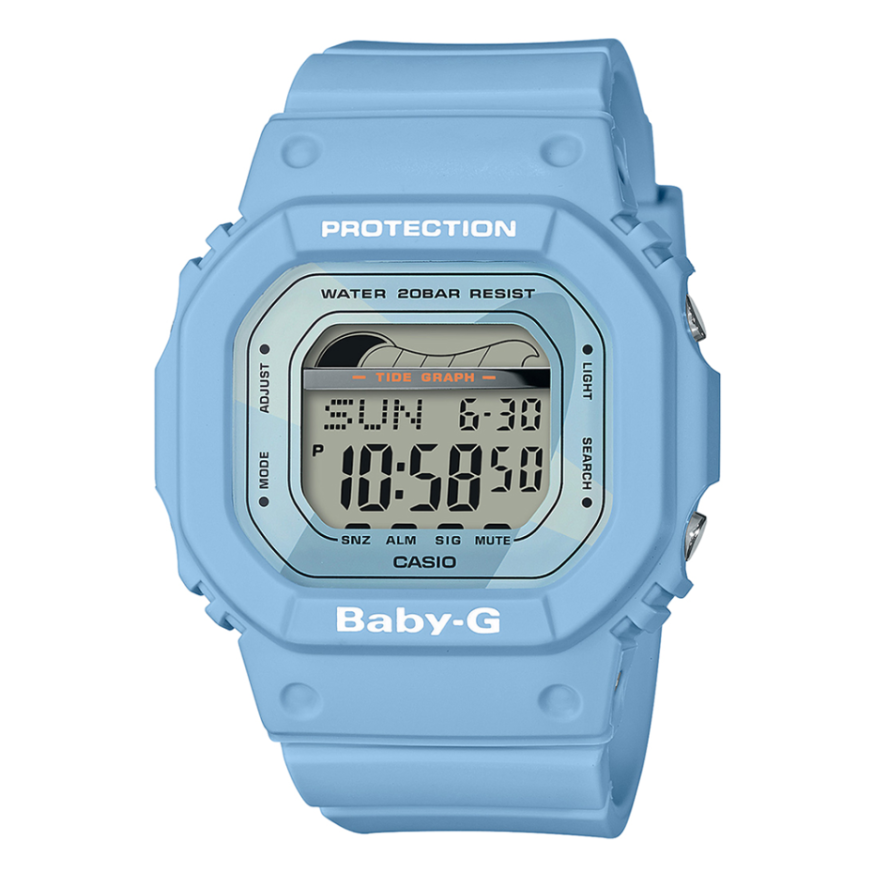
Module 3296 is digital. The time, date and other data are shown on a display, and the watch is operated with four buttons. Depending on the model, the display text is dark on a light background or light on a dark background. At Classic, the following model uses this module:
Buttons and modes
The buttons are marked with the letters A, B, C and D. Button C switches between modes. Button B turns on the illumination in any mode, except when a setting screen is on the display.
The watch has six modes:
- Timekeeping – time and date;
- Tide/Moon Data – tide and moon phase data;
- World Time – world time;
- Stopwatch – stopwatch;
- Countdown Timer – countdown timer;
- Alarm – alarms.
How to set the time and date
The watch has preset UTC offsets for time zones around the world. Before setting the time, set the UTC offset for your Home Site. This is the place where you normally use the watch.
- In the Timekeeping Mode, hold down button A until the seconds start to flash. This is the setting screen.
- Press C to move the flashing through the settings in this order: seconds, DST, UTC offset, hour, minutes, Flash Alert, day, month, year.
- While the seconds are flashing, press D to reset them.
- In the DST setting, press D to switch between daylight saving time and standard time.
- For the UTC offset, use D (+) and B (–). The range is from –12.0 to +14.0 in 0.5-hour steps. With DST on, the range is from –11.0 to +15.0.
- The hour and minutes are changed with D (+) and B (–).
- The year, month and day are also changed with D (+) and B (–).
- Press A twice to exit the setting screen.
The day of the week is shown automatically according to the set date. The supported UTC offsets are in the city code list at the end of the manual.
12-hour and 24-hour format
In the Timekeeping Mode, press D to switch between 12-hour and 24-hour format. In 12-hour format, the P indicator appears to the left of the time for times from noon to 11:59 pm. For times from midnight to 11:59 am there is no indicator. In 24-hour format, the time runs from 0:00 to 23:59 without an indicator. The selected format applies in all modes.
Daylight saving time (DST)
Daylight saving time moves the time one hour ahead of standard time. Not all countries and regions use it.
- In the Timekeeping Mode, hold down A until the seconds flash.
- Press C once. The DST screen appears.
- Press D to switch between daylight saving time and standard time.
- Press A twice to exit.
When daylight saving time is on, the DST indicator is shown on the time screen and on the tide data screen.
Home Site data
The moon phase and the tide graph are correct only when the Home Site data is set properly. This data includes the UTC offset, the longitude and the lunitidal interval. The lunitidal interval is the time between the Moon crossing the meridian and the next high tide there. The watch shows it in hours and minutes.
The factory setting is for Tokyo: UTC +9.0, 140 degrees east longitude and an interval of 5 hours and 20 minutes. The same values return after a battery replacement. Change them according to the place where you use the watch.
- In the Timekeeping Mode, hold down A until the seconds flash.
- Press C twice to reach the UTC offset and check the value. If it is wrong, change it with D (+) and B (–).
- Press A to open the longitude screen.
- Use C to move the flashing in this order: longitude value, east/west, interval hours, interval minutes.
- The longitude value is changed with D (+) and B (–) from 0 to 180 degrees in 1-degree steps.
- D switches between east and west longitude.
The list of UTC offsets and longitudes for cities around the world is at the end of the manual.
Tide and moon phase (Tide/Moon Data)
In this mode you can see the moon phase for a selected date and the tide movement for a date and time at the Home Site. When you enter the mode, the data for 6:00 am on the current date is shown first. The tide graph in the Timekeeping Mode shows the movement for the current day according to the current time. If the data looks wrong, check the time and date settings. The manual also describes how to set a specific date in this mode.
World time, stopwatch, timer and alarms
The manual also describes the following functions and procedures:
- World Time – viewing the time in another city and switching a city code between standard and daylight saving time. World time is calculated from the settings in the Timekeeping Mode.
- Stopwatch – measuring times and the Auto-Start function.
- Countdown Timer – setting and using the timer.
- Alarms – setting an alarm time, testing the alarm, turning it on and off, and the Hourly Time Signal.
- Flash Alert and button operation tone – can be turned on and off.
The exact steps for each of them are in the relevant sections of the PDF document below.
Illumination
Button B turns on the display illumination in any mode. The only exception is the setting screen. The illumination duration is set by the procedure described in the manual.
Important notes from Casio
- The measurement functions are not intended for professional or industrial precision. The values are approximate.
- The longitude, lunitidal interval, moon phase and tide data are not for navigation. For navigation, use suitable instruments.
- The watch does not calculate the exact times of high and low tide. The graph gives only an approximate idea of the water movement.
The original Casio manual (PDF)
Casio module 3296 manual (PDF, English) is the official Casio document with the full procedures, the reference section and the city code lists.
Casio at Classic. Browse all Casio watches at Classic and the manuals for all Casio modules. You can see the watches at Boutique CLASSIC on Knyaz Boris I 32 and at Mall Varna.