

Casio module 3299: manual and setup (AE-1200)
03.09.2026
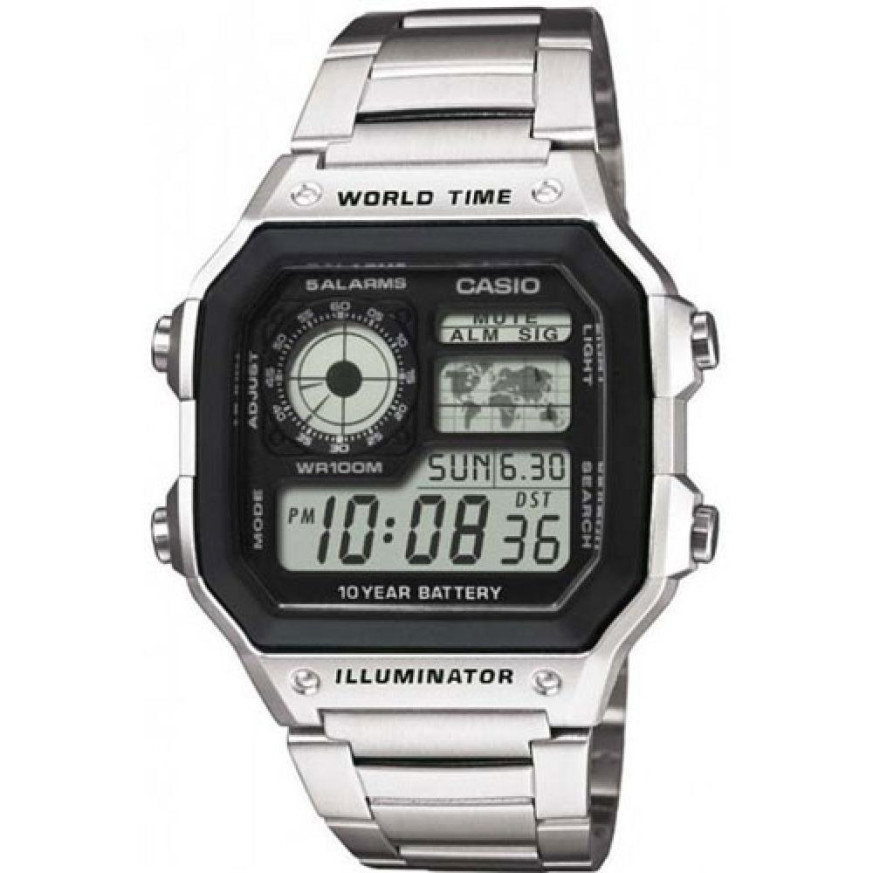
Casio module 3299: user manual and setup (AE-1200WHD, AE-1200WHUB)
The module number is engraved on the case back of the watch, usually in a rectangular frame next to the other markings. If it says 3299 there, this guide applies to your watch. According to the Casio manual, the procedures for modules 3198 and 3299 are the same.
Which watches have module 3299
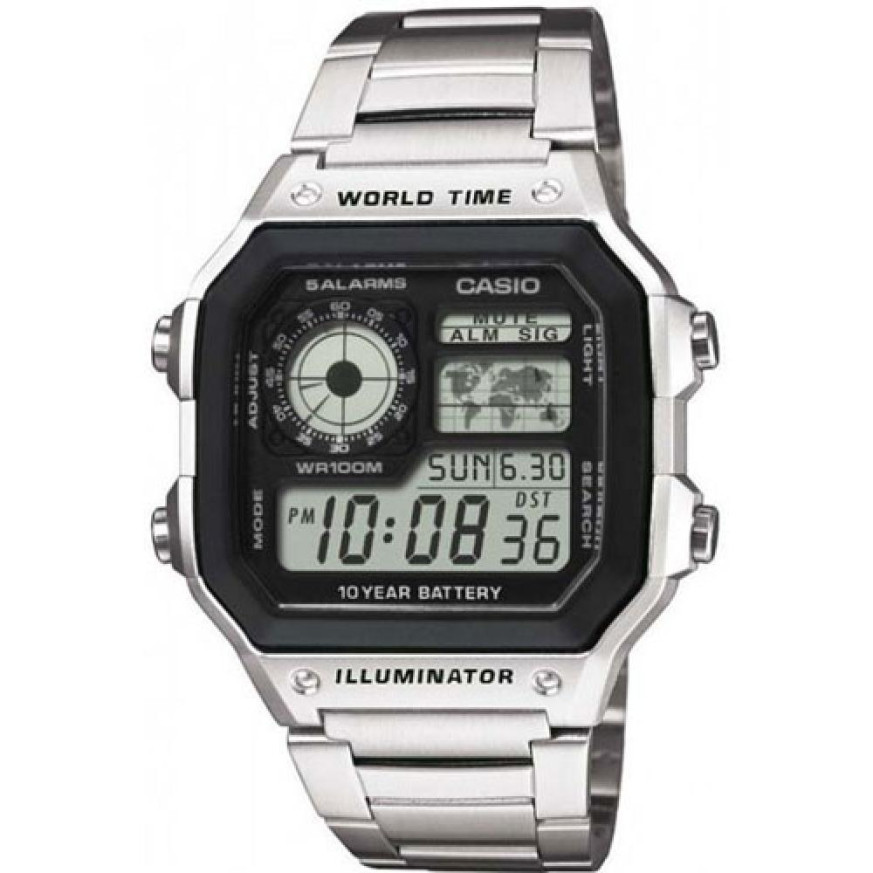
Module 3299 is digital. The display shows a world map, a digital dial, the day of the week, the date and the time. The watch has LED illumination for reading in the dark. At Classic, the following models have this module:
- AE-1200WHD-1AVEF – Casio Collection AE-1200WHD-1AVEF Watch
- AE-1200WHUB-8AVEF – Casio Collection AE-1200WHUB-8AVEF
Buttons and modes
The manual labels the four buttons with the letters A, B, C and D. Button C changes the modes. Button B turns on the illumination in every mode, except when a setting screen is open. Buttons D and B change the values during setting, and A opens and closes the setting screen.
The modes cycle with each press of C in the following order:
- Timekeeping Mode – current time and date
- World Time Mode – world time
- Alarm Mode – alarms
- Countdown Timer Mode – countdown timer
- Stopwatch Mode – stopwatch
The time screens in Timekeeping Mode
The Multi Time function gives quick access to the time and date in four cities. They are numbered from T-1 to T-4. T-1 is the time of your Home City. T-2, T-3 and T-4 are local times that are synchronized with T-1. Each press of D switches between the four screens. The digital dial in the upper part always shows the home time T-1.
While the T-1 screen is shown, pressing A displays the selected Home City code for about one second. The time can be changed only for T-1. For T-2, T-3 and T-4, only the city code and the daylight saving time setting can be changed.
How to set the time and date
- Use button D to display the home time screen T-1.
- Hold down A until the seconds start to flash. This is the setting screen.
- Press C to move the flashing through the settings in this order: seconds, daylight saving time, city code, hour, minutes, 12/24-hour format, year, month, day, illumination duration.
- While the seconds are flashing, press D to reset them.
- At the daylight saving time setting, press D to toggle between daylight saving time and standard time.
- At the city code, use D for east and B for west.
- At the hour and minutes, use D to increase and B to decrease.
- At the format, press D to switch between 12-hour and 24-hour mode.
- At the year, month and day, use D for plus and B for minus.
- At the illumination, press D to select 1.5 or 3 seconds.
- Press A to exit the setting.
The day of the week is shown automatically according to the set date. In 12-hour format, the PM indicator appears to the left of the time from noon to 23:59. In 24-hour format, the time runs from 0:00 to 23:59 without an indicator. The selected format applies to all modes.
Daylight saving time (DST)
Daylight saving time shifts the time one hour ahead of standard time. Not all countries use it. To change it for the home time, display the T-1 screen and hold down A until the seconds flash. Press C until you reach the DST screen. Use D to toggle between daylight saving time and standard time, then press A to exit. When daylight saving time is on, the DST indicator is shown on the display.
Local times and changing the Home City
To change the city of a local time, display the corresponding screen T-2, T-3 or T-4. Hold down A for about two seconds until the city code flashes. Select a code with D for east and B for west. Press C for the DST screen and use D to select daylight saving time or standard time. Finally, press A.
Each of the three local times can become the home time. Display it with D in Timekeeping Mode and press A and B at the same time.
World Time
World Time Mode shows the time in 48 cities across 31 time zones. Enter it with button C. Use D to scroll east through the city codes. The full list of codes is in the table at the end of the manual.
To switch between daylight saving time and standard time for a selected city, hold down A for about one second. The setting applies only to the displayed city. When the UTC code is selected, switching is not possible. If the time for a city is wrong, check the home time and time zone settings.
A World Time city can also become the Home City. Display it with D and press A and B at the same time.
Alarms and Hourly Time Signal
The watch has five alarms. Each can be a daily alarm or a one-time alarm. The daily alarm sounds every day at the set time. The one-time alarm sounds once and then turns itself off. There is also an Hourly Time Signal, with which the watch beeps twice on every full hour. All alarm operations are done in Alarm Mode, which is entered with C. The alarms work according to the home time.
Illumination
An LED illuminates the display for reading in the dark. Press B in any mode, except when a setting screen is open. The illumination stays on for about 1.5 or 3 seconds, depending on the selected duration. In direct sunlight it is hard to see. The illumination turns off automatically when an alarm sounds. Frequent use drains the battery.
The original Casio manual (PDF)
Casio module 3299 manual (PDF, English) is the official Casio document for this module. In it you will also find the timer, the stopwatch, the button operation tone and the city code table.
Casio at Classic. Browse all Casio watches at Classic or check the manuals for all Casio modules. You will find us at Boutique CLASSIC on Knyaz Boris I 32 and at Mall Varna.