

Casio module 3445: manual and setup (GW-9500TLC)
03.09.2026
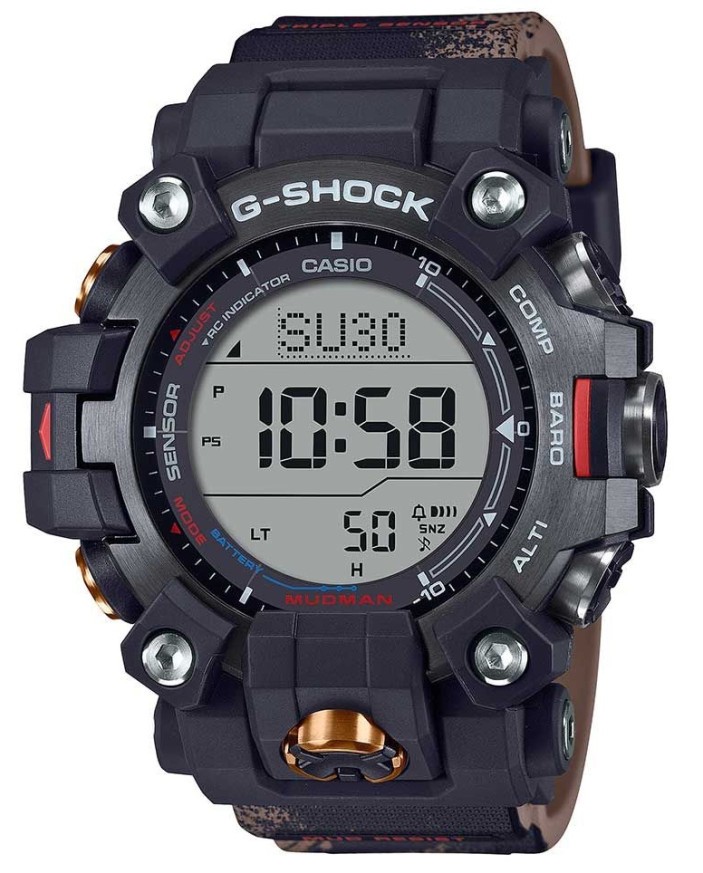
Casio module 3445: user manual and setup (GW-9500TLC)
The module number is engraved on the case back of the watch, among the other markings. It is a four-digit number and is different from the model name. If it says 3445 there, the settings described below apply to your watch.
Which watches use module 3445
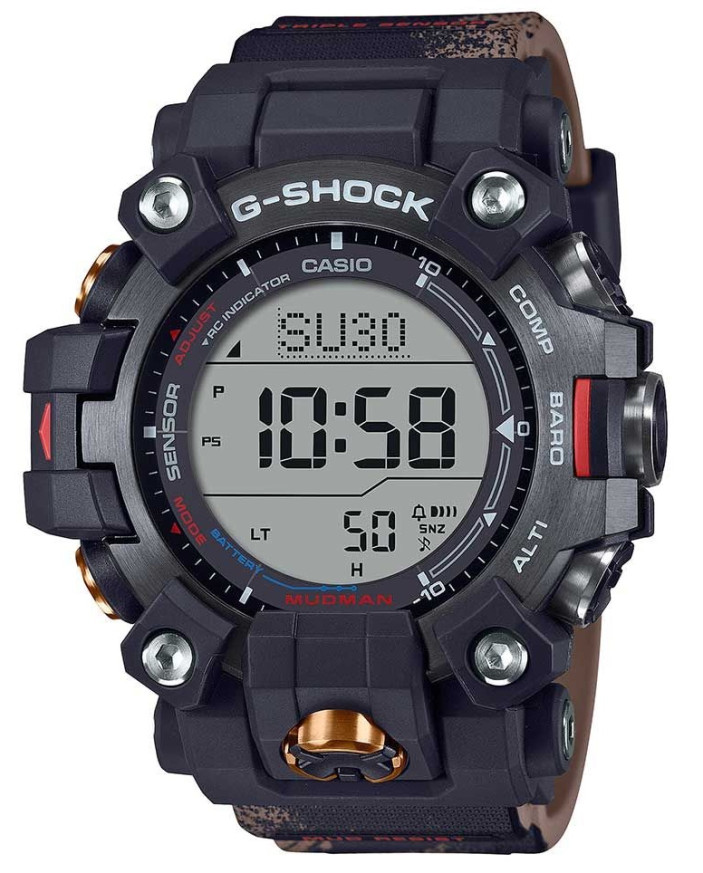
Module 3445 is a digital module with a display, solar charging and radio signal reception for accurate time. The built-in sensors measure direction, barometric pressure, temperature and depth under water. Casio describes the watch as an aid for diving and other outdoor activities. Depth measurement is intended only as a backup depth gauge. The values are not of professional or industrial accuracy and serve only as a reference.
Buttons and modes
In the manual the buttons are labeled with letters according to the illustration of the watch. The main modes are Timekeeping Mode (current time), Stopwatch Mode, Countdown Timer Mode, Alarm Mode and World Time Mode. There are also separate functions for diving, a dive log, compass, temperature, tide and moon phase. The watch also stores time stamp records (Time Recall), which can be viewed and deleted.
How to set the time and date
Before first use, Casio describes three checks. They prepare the watch for accurate signal reception and for World Time operation.
- Check the battery charge indicator. If it shows H or M, the watch is sufficiently charged.
- If the indicator shows L and LOW is flashing, CHG is flashing or the display is blank, the charge is low. Leave the watch in a place with light until it charges.
- Set the Home City and daylight saving time (DST). The procedure is described in the manual on page E-30.
- Set the current time. The first way is by receiving a time calibration signal (page E-16).
- The second way is manual setting of the time and date in Timekeeping Mode (page E-32).
Casio stresses that signal reception and World Time data depend on correct settings. These are the Home City, and the time and date in Timekeeping Mode. After these steps the watch is ready for use.
Radio-controlled accurate time
The watch receives a time calibration signal and adjusts the time according to it. The manual describes how to prepare the watch for reception and how to start manual reception. You can also check the result of the last reception. Auto receive is turned on and off from the settings.
Charging the battery
The dial is a solar panel that produces energy from light. It charges a built-in rechargeable battery that powers the watch. Charging takes place whenever the watch is exposed to light. When you are not wearing it, leave it in a bright place. Stronger light charges more efficiently. When wearing it, make sure your sleeve does not cover the dial. Even partial covering can put the watch into sleep state. The manual also describes how to recover from sleep state.
Diving functions
In the dive mode the watch shows the water temperature and direction. There is a surface time reading. The zero depth can be reset manually. The units for temperature and depth are selected in the settings. Dive records are kept in a log. You can view the records, delete a specific record or delete all of them at once. When diving, Casio requires that you always carry a second underwater compass to check direction.
Digital compass
The compass shows direction using the built-in sensor. For more accurate readings, the manual describes figure-8 calibration and 3-point calibration. There is also magnetic declination correction. A measured direction angle can be saved in the Bearing Memory. Readings and calibration are not possible near permanent magnets, metal objects, high-voltage cables, antennas and household electrical appliances. If the readings differ from those of another compass, perform direction calibration.
Stopwatch and timer
The Stopwatch measures elapsed time. It can be stopped at a split time and record two finishes. The Countdown Timer runs from a set start time. At the end of the countdown an alarm sounds, which is stopped as described in the manual.
Alarm and hourly time signal
In Alarm Mode you set an alarm time. The alarm and the hourly time signal are turned on and off from the settings. The manual describes how to stop a sounding alarm and how to test its sound.
World Time
World Time Mode shows the current time in another time zone. For each city you can select standard time or daylight saving time (DST). The data depends on a correctly set Home City.
Temperature, tide and moon phase
The watch measures temperature and allows calibration of the temperature sensor. The Tide/Moon function shows the current tide level, the moon phase and the age of the Moon. You can check the tide for another time of day or for a specific date and time. There is a setting for calibrating the high tide time. The moon phase view is selected for the Northern or Southern Hemisphere.
Illumination and other settings
The illumination is turned on manually, and its duration can be changed. The auto light switch is enabled or disabled from the settings. The button operation tone is also turned on and off.
The original Casio manual (PDF)
Casio module 3445 manual (PDF, English) is the official Casio document for this module with the full procedures and illustrations.
Casio at Classic. Browse all Casio watches at Classic or check the manuals for all Casio modules. The watches can be seen in person at Boutique CLASSIC on Knyaz Boris I 32 and at Mall Varna.