

Casio module 3519: manual and setup (G-B001)
03.09.2026
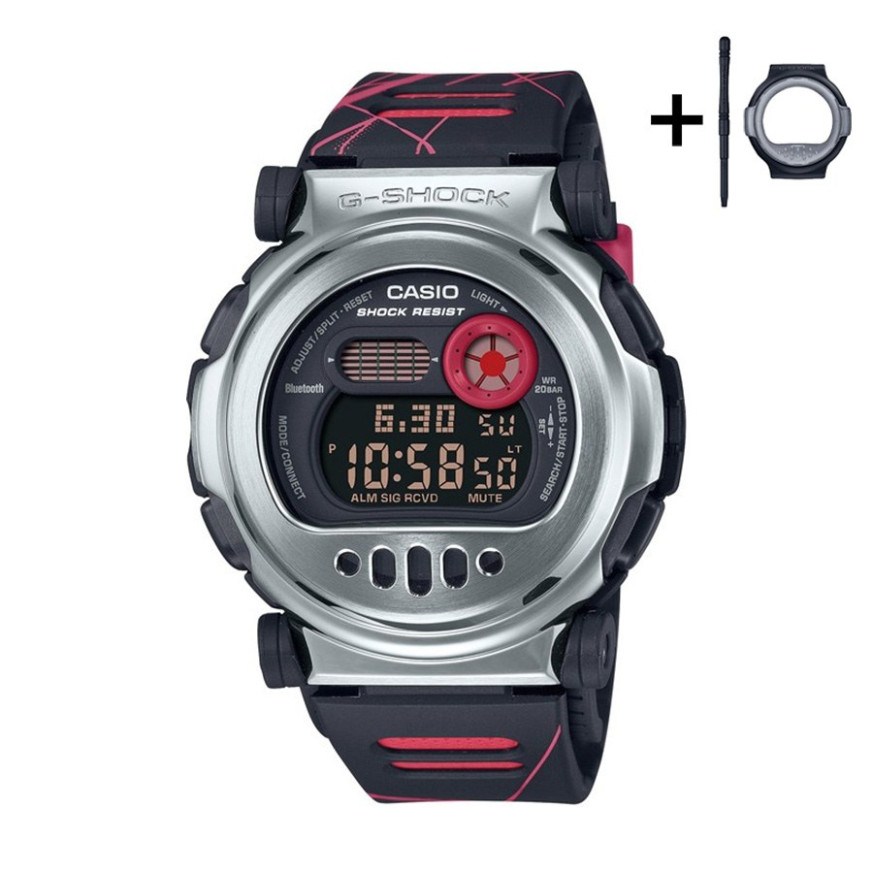
Casio module 3519: user manual and setup (G-B001MVA, G-B001MVB)
The module number is engraved on the case back of the watch, in a small rectangle next to the other markings. If it says 3519, everything below applies to your watch. The module number is different from the model number, which is printed on the dial or on the label.
Which watches have module 3519

Module 3519 is a digital module with an LCD display and a Mobile Link function for connecting to a phone. The watch works together with the CASIO WATCHES app, which is used to set the time, World Time, alarm and timer. At Classic this module is found in the G-Shock G-B001 series:
Watch modes
The manual describes switching between separate modes: Timekeeping Mode, World Time, Alarm Mode, Stopwatch and Countdown Timer. The layout of the buttons and the display indicators is in the General Guide and Indicators sections of the official PDF. The manual also describes choosing a mode for displaying the time (Selecting a Timekeeping Mode).
How to set the time and date
- Install the CASIO WATCHES app on your phone. The list of supported phones is in the Supported Phones section.
- Connect the watch to the phone by following the steps in the Connecting with a Phone section.
- While connected, the watch adjusts the time by itself. This function is described in the Auto Time Adjustment section.
- Without a phone, the time is set from the watch itself. The steps are in the Using Watch Operations to Adjust the Time section.
- Set a Home City and the Summer Time Setting. When travelling, use the Moving to Another Time Zone section.
- Choose a date format from the Changing the Date Display Format section.
- Choose a language for the day of the week from the Specifying the Day of the Week Language section.
- The format of the digital display is changed from the Digital Display Format section.
World Time
The watch shows the time in another city from the City Table. The World Time city is set through the CASIO WATCHES app or from the watch itself. The manual describes checking the World Time and swapping the home time and World Time (Swapping Your Home Time and World Time). The Summer Time Table shows the cities with summer time.
Alarm and Hourly Time Signal
The alarm is set through the CASIO WATCHES app or directly on the watch. The manual also describes an Hourly Time Signal, which can be turned on separately. Turning off the alarm and the Hourly Time Signal is described in the Turning Off an Alarm or the Hourly Time Signal section.
Stopwatch
The Stopwatch measures elapsed time. Split Time measurement is possible. The manual also describes timing the first and second place finishers (Timing the First and Second Place Finishers).
Countdown Timer
The timer counts down from a set start time. The start time is set from the watch or through the CASIO WATCHES app. Using the timer is described in the Using the Timer section.
Connecting with a phone
The Mobile Link function connects the watch to the CASIO WATCHES app. Besides time adjustment, the manual also describes the following functions:
- Phone Finder – helps you find your phone.
- TIME & PLACE – records your current location.
- Receiving CASIO WATCHES Information On the Watch – receiving information from the app on the watch.
- Disconnecting from Your Phone and Unpairing – ending the connection and removing the pairing.
- If you purchase another phone – what to do when changing your phone.
Before use, read the Mobile Link Precautions section. The manual also contains guidance on using the watch in a medical facility or on an aircraft.
Illumination
The display can be illuminated in the dark. The way to turn it on is described in the Viewing the Face in the Dark section.
Button tone and reset
The sound when pressing a button can be turned on and off (Enabling the Button Operation Tone). All settings can be returned to their initial state by following the Resetting Watch Settings section.
Water resistance and care
The water resistance rating is printed on the dial or on the case back: 5BAR, 10BAR or 20BAR. At 5BAR the watch withstands hand washing, rain and swimming, but not windsurfing or diving. At 10BAR and 20BAR, skin diving without a tank is also allowed. The watch is not intended for scuba diving with a tank. Do not press the buttons while the watch is wet or under water. After seawater, rinse with clean water. The gaskets are replaced every two to three years. Do not leave the watch at temperatures above +60 °C. The LCD display is hard to read below 0 °C and above +40 °C. The band should not be tight; a finger should fit between it and your wrist.
Battery
Replacing the battery requires special tools. The manual recommends replacement by the retailer from whom the watch was purchased, or by an authorized Casio service center. During replacement, the technician also checks the water resistance.
The original Casio manual (PDF)
Casio module 3519 manual (PDF, English) – this is the official Casio document with the full steps, the City Table and the troubleshooting section.
Casio at Classic. Browse all Casio watches at Classic or the manuals for all Casio modules. The watches can be seen at Boutique CLASSIC on Knyaz Boris I 32 and at Mall Varna.