

Casio module 3523: manual and setup (GM-S5600)
03.09.2026
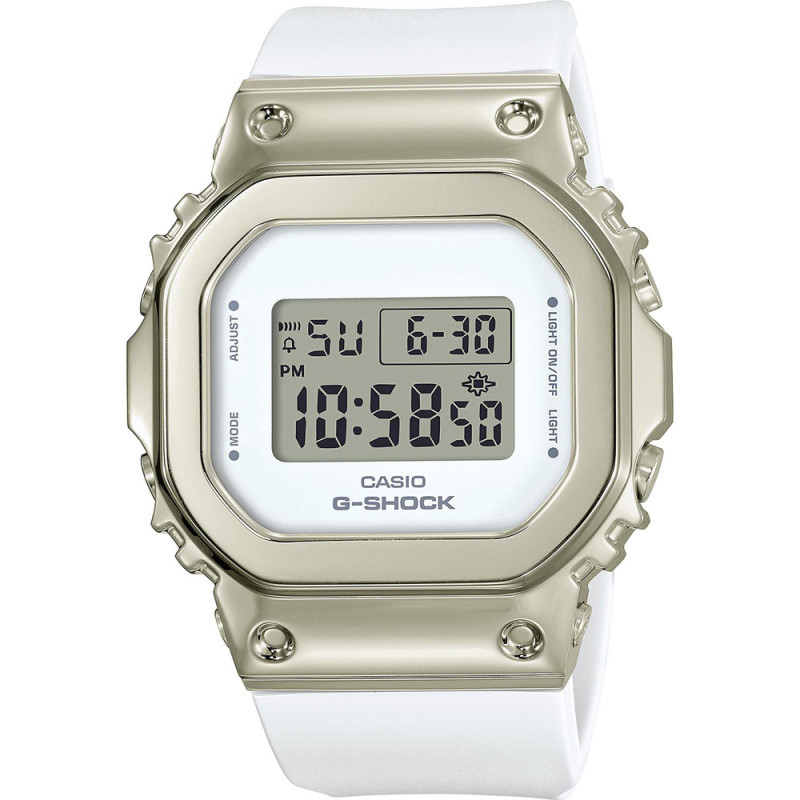
Casio module 3523: user manual and setup (GM-S5600)
The module number is engraved on the back cover of the watch. It usually sits in a small rectangular frame next to the other markings. If it says 3523, this guide applies to your watch. The official Casio manual for this module carries the designation MA2209-EA and was issued in 2022.
Which watches use module 3523

Module 3523 is a digital module with an LCD display. The manual describes it as a digital watch that offers an alarm, hourly time signal, stopwatch and countdown timer in addition to the time. It is part of the G-Shock series, which Casio defines as a shock-resistant construction. At Boutique CLASSIC the module is found in the following model:
Modes and indicators
The manual contains a general overview of the watch, an explanation of the display indicators and a section on switching between modes. The individual modes cover the current time, the alarm, the stopwatch and the countdown timer. There is also a section on reading the display in the dark. The exact button sequence for each mode is described in the original PDF linked below.
How to set the time and date
- Make sure the watch is dry. The manual prohibits pressing the buttons while the watch is wet or under water.
- Open the section "Time Adjustment – Adjusting the Current Time Setting" in the official manual. It describes the current time setting for this module.
- Follow the steps in that section to set the hour and minutes.
- If the display shows the wrong time after a strong electrostatic charge, perform the setting again. Casio notes that such a charge can disrupt the readings.
- At very low or high temperatures the watch may run fast or slow. Check the accuracy after it returns to normal conditions.
Alarm and hourly time signal
Module 3523 has an alarm and an hourly time signal. The manual describes three actions: setting the alarm, turning the alarm and the hourly time signal on or off, and stopping an alarm that is already sounding. Turning on and off is done from Alarm Mode. Stopping the sound is a separate step and is described in the section "Turning Off an Alarm or the Hourly Time Signal".
Stopwatch
The Stopwatch measures elapsed time. The manual also describes measuring split time. There is a separate procedure for timing the first and second place finishers in a race. All three functions are in the "Stopwatch" section of the official manual.
Countdown Timer
The Countdown Timer counts down from a set time. The manual divides its use into two parts: setting the time and using the timer. The value is entered in Countdown Timer Mode and the countdown is then started from the same mode.
Illumination and Flash Alert
The display can be read in the dark. This section of the manual is called "Viewing the Face in the Dark". Separately, under "Other Settings", there is a section for configuring the Flash Alert function. Its setting is made from the watch menu in the way described there.
Water resistance
Check the marking on the back cover or on the dial. It determines what Casio allows:
- No WATER RESIST marking: the watch is not protected from sweat and water.
- WATER RESIST without BAR: hand washing and rain are acceptable, swimming is not.
- 5BAR: swimming and working with water are acceptable, windsurfing and diving are not.
- 10BAR and 20BAR: swimming, windsurfing and skin diving without a tank are acceptable.
Scuba diving with a tank is not allowed under any marking. Do not press the buttons in water. After exposure to sea water, rinse the watch with clean water. Casio recommends replacing the gaskets every two or three years. Avoid baths, saunas and pools with hot water. If the glass fogs up and does not clear quickly, stop wearing the watch and take it to a service center.
Battery and maintenance
Replacing the battery requires special tools. Casio recommends that it be done by the store where the watch was bought or by an authorized service center. During the replacement the technician also checks the water resistance. The manual also includes a troubleshooting section.
A few rules for everyday use according to Casio:
- The display is hard to read below 0 °C and above 40 °C. Above 60 °C for a long time the LCD can be damaged.
- A strong magnetic field, for example from medical equipment, can cause malfunction.
- Keep the watch away from thinners, gasoline, oils, cosmetics and adhesives. They can discolor the resin and the band.
- Dry the watch immediately after it gets wet. Prolonged contact with moisture fades the fluorescent colors.
- Metal parts are cleaned with a soft brush and a mild neutral detergent. The case is wrapped in foil so that detergent does not get inside.
- The band should not be too tight. A finger should fit between it and the wrist.
- If the band cracks, discolors or becomes loose, stop wearing the watch and replace the band.
G-Shock models are designed for strong vibrations and active sports. Even so, dropping the watch can cause damage.
The original Casio manual (PDF)
Casio module 3523 manual (PDF, English) is the official Casio document for this module and contains the full steps for every function.
Casio at Classic. Browse all Casio watches at Classic or check the manuals for all Casio modules. The watches can be seen in person at Boutique CLASSIC on Knyaz Boris I 32 and at Mall Varna.