

Casio module 3525: manual and setup (G-Shock DW-5600)
03.09.2026
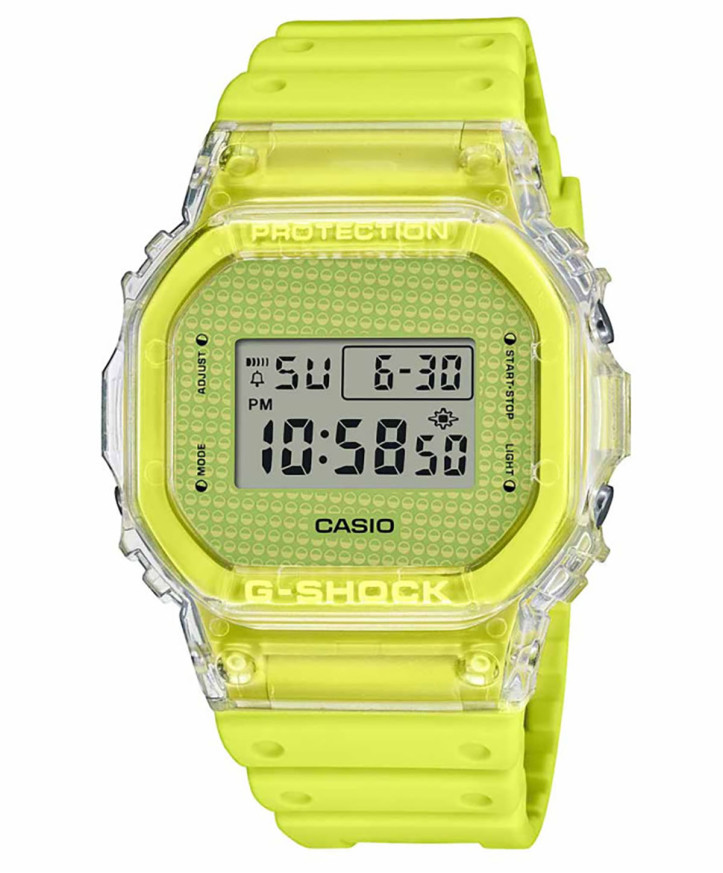
Casio module 3525: user manual and setup (DW-5600BB, DW-5600GL, DW-5600RL)
The module number is engraved on the case back of the watch, among the other markings. If it says 3525, this guide applies to your watch. The steps described follow the official Casio manual for module 3525.
Which watches use module 3525
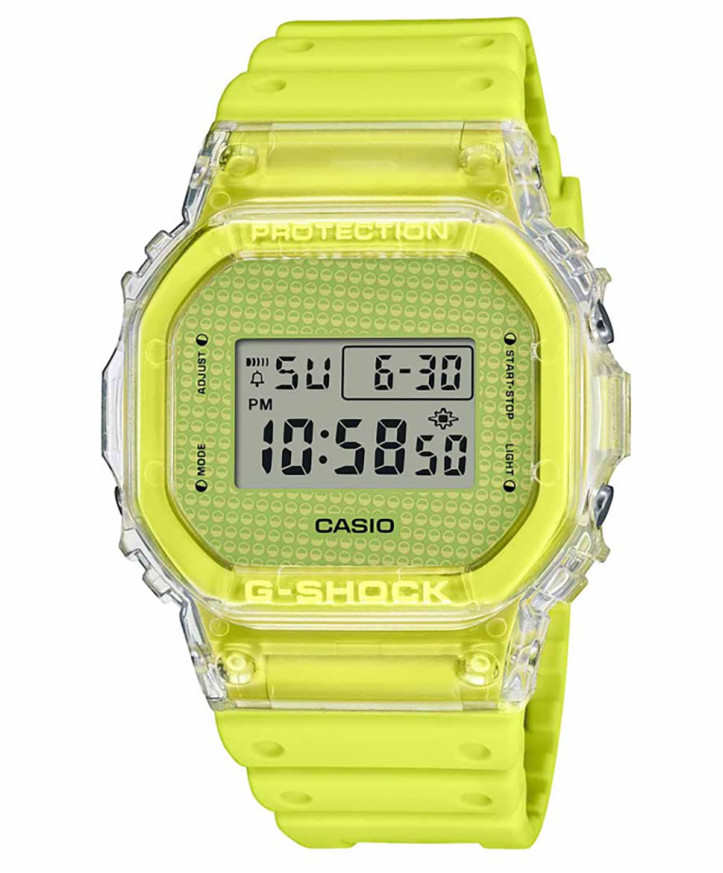
Module 3525 is fully digital. The time, date and all functions are shown as digits on the display. Depending on the model, the digits are dark on a light background or light on a dark background. The watch is operated with four buttons, marked in the manual with the letters A, B, C and D. At Classic this module is found in the following G-Shock models:
- DW-5600BB-1ER – Casio G-Shock DW-5600BB-1ER
- DW-5600GL-9ER – Casio G-Shock DW-5600GL-9ER
- DW-5600RL-1ER – Casio G-Shock DW-5600RL-1ER
- DW-5600UBB-1ER – Casio G-Shock DW-5600UBB-1ER
- DW-5600UE-1ER – Casio G-Shock DW-5600UE-1ER
Buttons and modes
The watch has four modes: Timekeeping (time display), Alarm, Timer (countdown timer) and Stopwatch. Button C moves from one mode to the next in this order. After finishing an operation in any mode, button C returns the watch to the Timekeeping Mode. Button D turns on the illumination in every mode. It goes out about two seconds after you release the button. Button A opens the settings, and button B changes the values and starts or stops the countdown.
How to set the time and date
- In the Timekeeping Mode, press A. The seconds start to flash because they are selected.
- Use button C to change the selected value: seconds, hour, minutes, day, month and year.
- While the seconds are flashing, press B to reset them to "00". At a value between 30 and 59, the minutes increase by one. At a value between 00 and 29, the minutes do not change.
- For any other flashing value, button B increases it. Holding down B changes the number quickly.
- While any value is flashing, press D to switch between the 12-hour and 24-hour format.
- Finally, press A to return to the Timekeeping Mode.
The day of the week is set automatically according to the date. The date can be set from January 1, 2000 to December 31, 2099. If you do not press a button for a few minutes, the flashing stops and the watch returns to the Timekeeping Mode by itself.
Illumination and Flash Alert
Button D illuminates the display at any time, regardless of the Flash Alert setting. The Flash Alert function makes the illumination flash while the alarm, the timer or the hourly time signal sounds. To turn it on or off, hold down B for about two seconds in the Timekeeping Mode. An indicator on the display shows that Flash Alert is active, and it stays visible in all modes. Frequent use of the illumination shortens battery life. In direct sunlight the illumination is hard to see. If the alarm starts to sound, the illumination turns off automatically.
Alarm and hourly time signal
The alarm is set with an hour, minute, month and day. When it is on, it sounds for 20 seconds at the set time. The hourly time signal makes a short sound on every full hour. The type of alarm depends on what you have set:
- Daily alarm: set only the hour and minute, with "–" for the month and "– –" for the day.
- Date alarm: set the month, day, hour and minute. It sounds once on the specific date.
- One-month alarm: set the month, hour and minute, with "– –" for the day. It sounds every day only during that month.
- Monthly alarm: set the day, hour and minute, with "–" for the month. It sounds every month on that day.
- In the Alarm Mode, press A until the hour starts to flash. The alarm turns on automatically.
- Use button C to change the selected value: hour, minutes, month and day.
- Use button B to increase the value. Holding down B changes the number quickly.
- Press A to return to the Alarm Mode.
The alarm format follows the selected 12-hour or 24-hour format of the watch. With the 12-hour format, check whether the hour is morning or afternoon. A sounding alarm is stopped by pressing any button. If you do not press a button for a few minutes, the watch returns to the Alarm Mode by itself. In the Alarm Mode, button B cycles the status in this order: both off, alarm only, hourly time signal only, both on.
Countdown Timer
The timer can be set from 1 second to 24 hours. When it reaches zero, it sounds for 10 seconds or until you press a button.
- In the Timer Mode, press A. The hours start to flash.
- Use button C to change the selection: hours, minutes and seconds.
- Use button B to increase the value. For a start time of 24 hours, set 0:00'00.
- Press A to return to the Timer Mode.
Button B starts the countdown, a second press stops it, and the next press resumes it. To return to the start time, stop the timer and press A until the value is restored. The timer also has auto-repeat. To turn it on or off, press A in the Timer Mode until the hours flash, and then press D. Press A to return to the Timer Mode. With auto-repeat on, the countdown starts again by itself each time it reaches zero. Stop it with B, and return it to the start time with A.
Stopwatch
The Stopwatch measures elapsed time, split times and two finishes. Its range is 23 hours, 59 minutes and 59 seconds. For a split time, press B to start timing. Press A to see the time so far while timing continues internally. Press A again to clear the split time and resume on the display. You can repeat the last two steps as many times as you like.
The original Casio manual (PDF)
Casio module 3525 manual (PDF, English) is the official document of the manufacturer. It also contains the sections on specifications, operating precautions and maintenance.
Casio at Classic. Browse all Casio watches at Classic or check the manuals for all Casio modules. You can see the watches in person at Boutique CLASSIC on Knyaz Boris I 32 and at Mall Varna in Varna, Bulgaria.