

Casio module 3549: manual and setup (W-220H)
04.09.2026
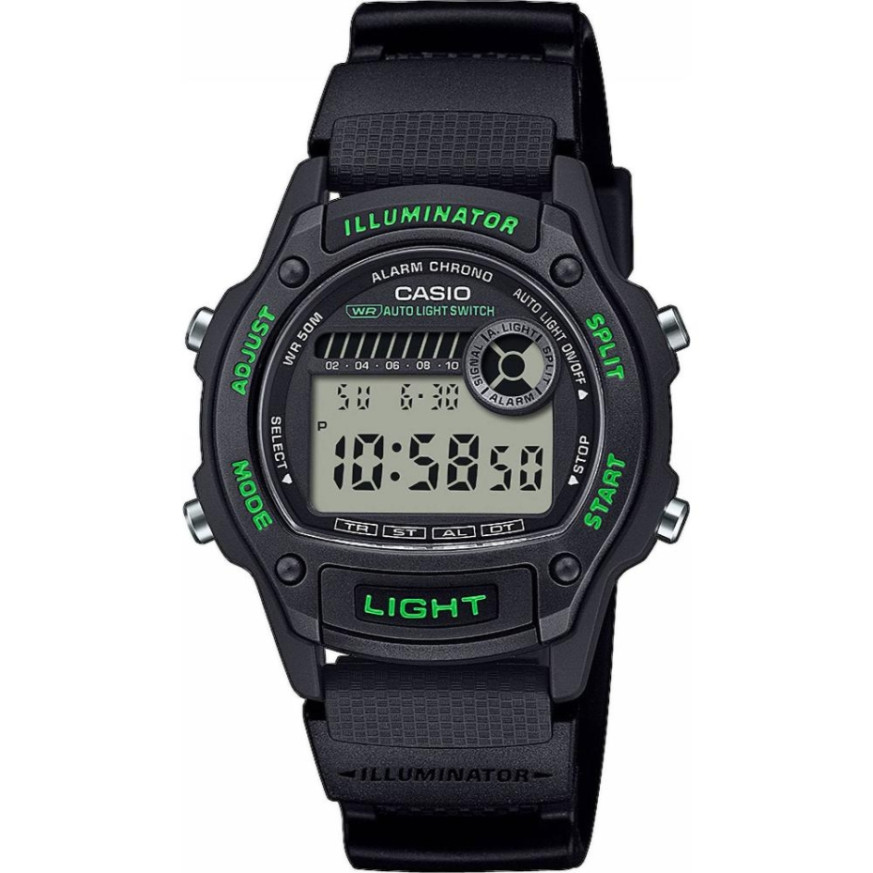
Casio module 3549: user manual and setup (W-220H)
The module number is engraved on the case back of the watch. It is a four-digit number, separate from the model number and the serial number. If the case back says 3549, the manual below applies to your watch.
Which watches use module 3549
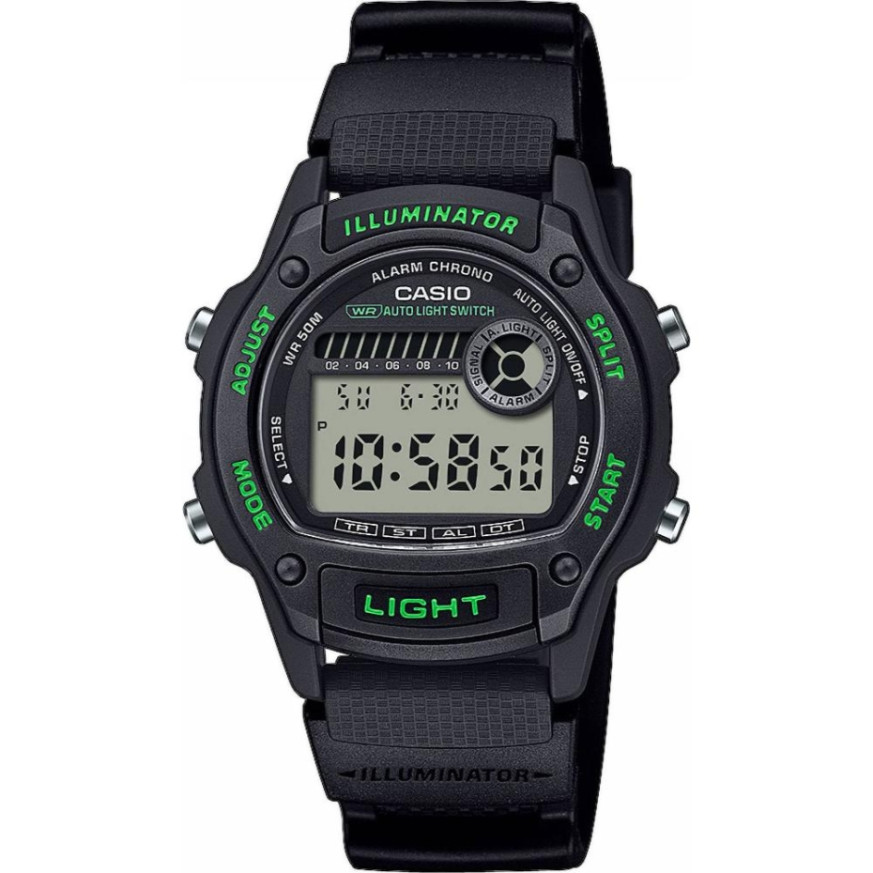
Module 3549 is a digital module with a liquid crystal display. The manual describes modes for timekeeping, countdown timer, stopwatch, alarm and dual time. The watch has display illumination with an auto light function that turns on when you tilt your wrist.
Buttons and modes
In the manual the buttons are marked with the letters A, B, C and D. Button L turns on the display illumination in any mode.
The watch has five modes: Timekeeping, Countdown Timer, Stopwatch, Alarm and Dual Time. Each press of C changes the mode. After an operation in any mode, pressing C returns to the Timekeeping Mode.
- Holding C for one to two seconds always returns the watch to the Timekeeping Mode.
- If you do not press a button for a few minutes during a setting, the flashing digits stop. The screen returns to the normal view of the current mode.
How to set the time and date
- In the Timekeeping Mode, hold A until the seconds on the display start to flash.
- Press C to move the selection in this sequence: seconds, hour, minutes, 12/24-hour format, year, month and day.
- While the seconds are flashing, press D to reset them. At a value between 30 and 59, the minutes increase by one. At a value between 00 and 29, the minutes stay the same.
- For the other positions, D increases the value and B decreases it. For the hour format, either button switches between 12 and 24.
- Holding a button changes the value at high speed. This does not apply to the seconds and the 12/24 format.
- After setting the time and date, press A to return to the Timekeeping Mode.
In 12-hour format, afternoon hours are marked with a P indicator. There is no indicator for morning hours. In 24-hour format, the display shows a 24 indicator.
The year can be set in the range from 2000 to 2099. The calendar is fully automatic and accounts for month lengths and leap years. The day of the week is shown automatically according to the set date. After the initial setting, the date needs correcting only after a battery change.
Illumination and auto light
Pressing L illuminates the display in any mode, whether or not the auto light is turned on. When the auto light function is on, the illumination lights up for two seconds when you move your wrist.
- Hold the watch parallel to the ground and tilt it toward you by about 40 degrees. The illumination turns on.
- The illumination may not light up if the face is turned left or right by more than 15 degrees. The back of your hand should be parallel to the ground.
- Static electricity or a magnetic field can interfere with the function. Return your arm to the starting position and tilt it again. If this does not help, lower your arm and raise it again.
- Under some conditions the illumination lights up with a delay of up to about one second. This is not a malfunction.
To turn the auto light on and off, hold B for one to two seconds in the Timekeeping Mode. While the function is active, an indicator stays on the display in all modes. To avoid draining the battery, the function turns itself off about three hours after it is turned on. If needed, turn it on again in the same way.
Frequent use of the illumination shortens battery life. Casio recommends not wearing the watch on the inside of the wrist. In that position the auto light triggers without need. Turn the function off before riding a bicycle, a motorcycle or driving a car. Do not look at the watch while running, hiking in the dark or driving.
Countdown Timer
The countdown timer can be set in a range from one second to 24 hours. When the countdown reaches zero, an alarm sounds for ten seconds or until you press any button. In this mode the display also shows the current time.
- In the Countdown Timer Mode, hold A until the hours start to flash.
- Press C to move the selection: hours, minutes, seconds.
- D increases the value and B decreases it. Holding a button changes the value quickly.
- Pressing D and B at the same time resets the start time to 0:00'00". A value of 0:00'00" means a countdown from 24 hours.
- Press A twice to return to the Countdown Timer Mode.
The countdown starts with D. Pressing D again stops the timer, and the next press resumes it. With the timer stopped, press B to restore the start time. When auto-repeat is off, the countdown stops after the alarm and the time returns to the start value.
The timer also has auto-repeat and a progress beeper. To access them, hold A in the Countdown Timer Mode and press A once more. The flashing moves to the auto-repeat setting. Use D or B to switch it between on and off. Both functions have their own indicators on the display.
Stopwatch
The Stopwatch Mode is described in the manual with two additional functions. One is Auto-Start, which can be turned on and off. The other is Target Time, which can be set and also turned on and off. The full steps are in the original PDF.
Alarm
In the Alarm Mode you set the time of the daily alarm. The manual describes turning the alarm and the hourly time signal on and off. There is also a procedure for testing the alarm sound. The detailed steps are in the original document.
Dual Time
The Dual Time Mode shows the time for a second zone. Its setting is described in the section "To set the Dual Time" of the manual.
The original Casio manual (PDF)
Casio module 3549 manual (PDF, English) is the official Casio document for this module and contains all procedures, specifications and care instructions.
Casio at Classic. Browse all Casio watches at Classic and the manuals for all Casio modules. The watches can be seen in person at Boutique CLASSIC on Knyaz Boris I 32 and at Mall Varna in Varna, Bulgaria.