

Casio module 3580: manual and setup (AE-1700H)
04.09.2026
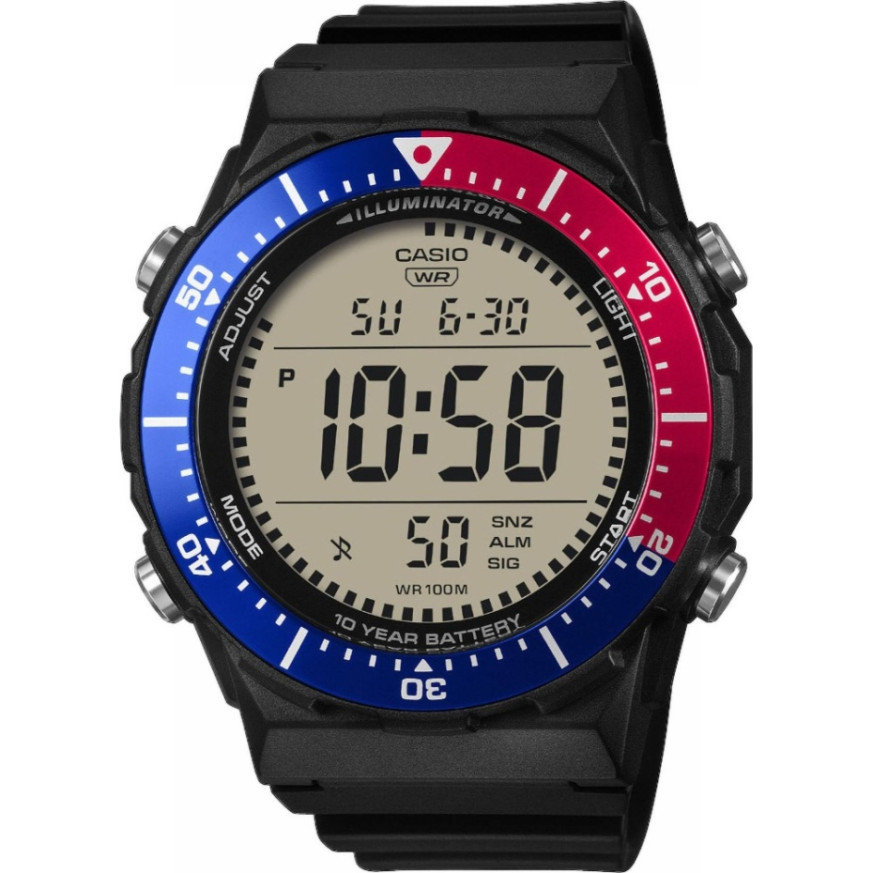
Casio module 3580: user manual and setup (AE-1700H)
The module number is engraved on the case back of the watch. It is a four-digit number among the other markings on the back. If it says 3580, this manual applies to your watch. The description follows the official Casio manual for module 3580.
Which watches have module 3580

Module 3580 is digital. The watch has a display and four buttons marked with the letters A, B, C and D. The functions include a stopwatch, a countdown timer, an alarm and dual time. At Classic the module is found in the following models from the Casio Collection series:
- AE-1700H-1A2VEF – Casio Collection AE-1700H-1A2VEF
- AE-1700H-1AVEF – Casio Collection AE-1700H-1AVEF
- AE-1700H-1BVEF – Casio Collection AE-1700H-1BVEF
Buttons and modes
There are four buttons and they are marked with letters. Button C changes the modes. Button A opens the setting screen and exits it. Button B turns on the illumination and decreases a value during setting. Button D increases a value and starts and stops the stopwatch and the countdown timer.
The modes change with each press of C in the following order: Timekeeping, Stopwatch, Timer, Dual Time, Alarm. After the Alarm Mode the watch returns to the Timekeeping Mode. The illumination with B works in every mode, except when a setting screen is open.
How to set the time and date
In the Timekeeping Mode the display shows the month and day, the day of the week, hours, minutes and seconds. In 12-hour format a P indicator appears in the afternoon.
- In the Timekeeping Mode hold down A until the seconds start to flash. This is the setting screen.
- Press C to move the flashing in the following order: seconds, DST, hour, minutes, day, month, year.
- While the seconds are flashing, press D to reset them to 00.
- While DST is flashing, press D to switch between Daylight Saving Time (On) and standard time (OF).
- For the hour, minutes, day, month and year use B to decrease and D to increase.
- Press A twice to exit. The first press shows the UTC offset screen. The second press closes the settings.
The day of the week is calculated automatically from the set date. Daylight Saving Time (DST) moves the time one hour ahead of standard time. Not all countries use Daylight Saving Time. When DST is on, a DST indicator is shown on the Timekeeping and Alarm screens.
To switch between 12-hour and 24-hour format, press D in the Timekeeping Mode. In 12-hour format the P indicator is shown from 12:00 noon to 23:59. In 24-hour format the time runs from 0:00 to 23:59 without an indicator. The selected format applies to all modes. The P indicator is not shown on the Timer and Dual Time screens.
Stopwatch
The stopwatch measures elapsed time, split times and two finishes. The accuracy is 1/100 second. The range is up to 23 hours, 59 minutes and 59.99 seconds. After the limit is reached, measurement continues from zero until you stop it. Measurement continues in another mode as well. If you exit the mode while a split time is shown, it will not be visible when you return.
- Elapsed time: D starts, D stops, D resumes, D stops again, A resets.
- Split time: D starts, A shows the split time (SPL indicator), A releases it, D stops, A resets.
- Two finishes: D starts, A at the first finish shows its time. D at the second finish stops the measurement. A shows the time of the second runner, A resets.
Countdown Timer
The countdown is set from one minute to 24 hours. When zero is reached, a signal sounds. The auto-repeat function restarts the countdown from the set value each time it reaches zero. The current time is also shown on the Timer screen.
- Press D in the Timer Mode to start the countdown. D pauses, pressing D again resumes.
- To stop completely, first pause with D, then press A. The time returns to the start value.
- With auto-repeat off, the signal sounds for 10 seconds or until any button is pressed. After that the time is reset automatically to the start value.
- With auto-repeat on, the countdown restarts without a pause, and the signal marks each zero.
- The countdown continues after you exit the mode.
To set it, hold down A while the start time is shown, until the hours start to flash. Use C to move the flashing between hours, minutes and auto-repeat. Use B (minus) and D (plus) for the hours and minutes. While auto-repeat is flashing, D switches On and OF. For 24 hours set 0:00. Press A to exit. With auto-repeat on, the corresponding indicator is shown on the screen. Frequent use of auto-repeat and the alarm drains the battery.
Alarm
The watch has three independent alarms, numbered 1 to 3. Each is set with an hour, minutes, month and day. One of the alarms has a snooze function. There is also an hourly time signal, which beeps on every full hour. The hourly time signal screen is marked with :00. The settings are made in the Alarm Mode.
The alarm type depends on what you have set:
- Daily alarm: only the hour and minutes. It sounds every day at the set time.
- Date alarm: month, day, hour and minutes. It sounds once on the specific date.
- One-month alarm: month, hour and minutes. It sounds every day only during the set month.
- Monthly alarm: day, hour and minutes.
The manual also describes an alarm test, turning alarms 2 and 3 and the hourly time signal on and off, and choosing the operation of alarm 1. The detailed steps are in the PDF file below.
Dual Time
The Dual Time Mode shows the time for a second zone. It is entered with button C. Its setting is described in the manual in the Dual Time section. The current time is also shown on this screen, but without the P indicator.
Illumination and button sound
The display illumination is turned on with B in every mode. It does not work while a setting screen is open. The duration of the illumination can be set. The sound when pressing the buttons can be turned on and off. Both settings are described in the manual.
The original Casio manual (PDF)
Casio module 3580 manual (PDF, English) is the official Casio document, issued in 2025, with all sections and technical data.
Casio at Classic. Browse all Casio watches at Classic or look for your module among the manuals for all Casio modules. We will welcome you at Boutique CLASSIC on Knyaz Boris I 32 and at Mall Varna.