

Casio module 3588: manual and setup (W-738H)
04.09.2026
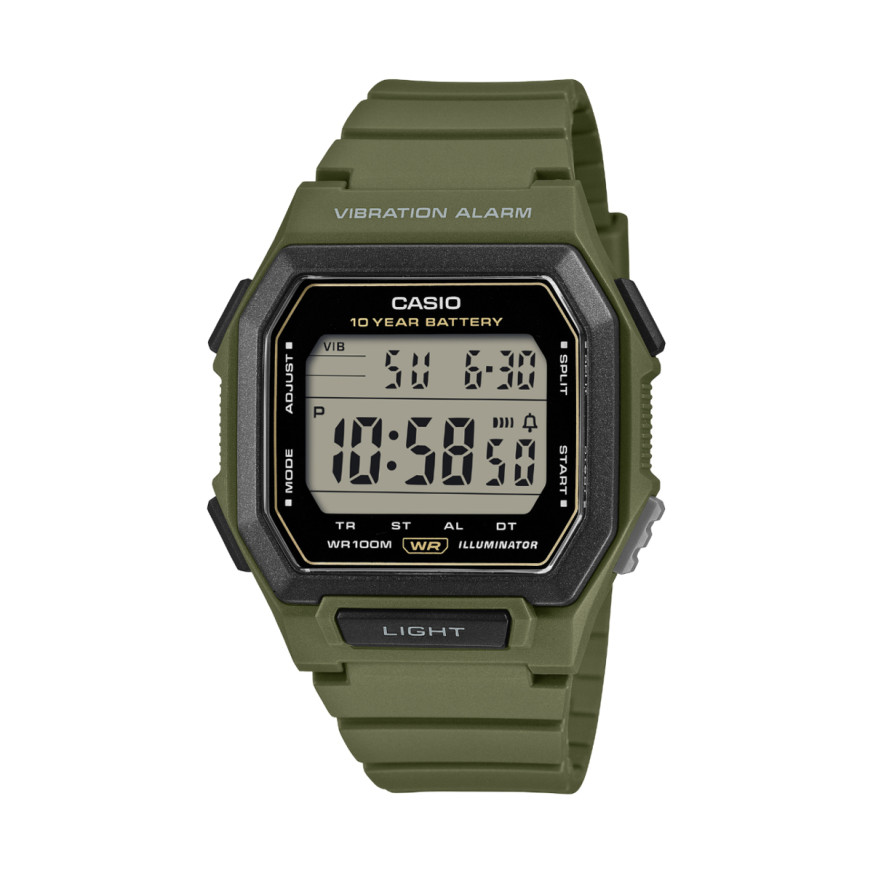
Casio module 3588: user manual and setup (W-738H)
The module number is engraved on the case back, among the other markings. It is a four-digit number and differs from the model name. If the case back says 3588, the settings below apply to your watch. The description follows the official Casio manual for this module.
Which watches use module 3588
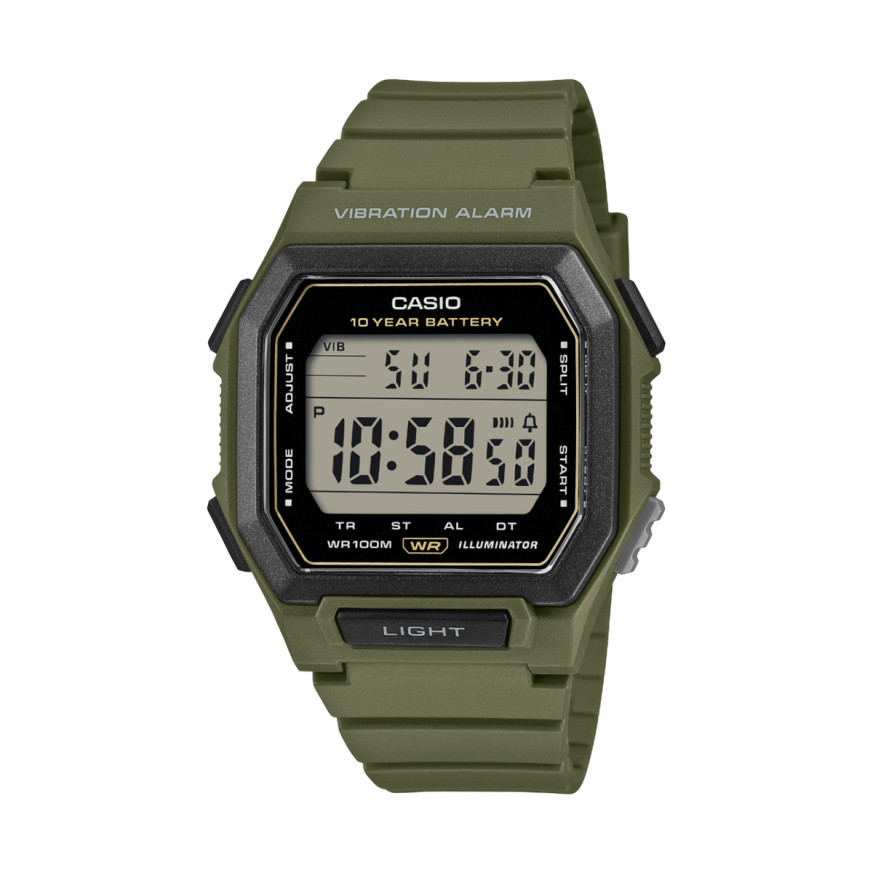
Module 3588 is digital. The watch shows the time, date and day of the week on a display. Its functions are a countdown timer, stopwatch, alarm and Dual Time. It also has a vibration alarm that replaces the audible signal. At Classic this module is found in the following model:
Buttons and modes
The manual labels the buttons with the letters A, B, C, D and L. Holding button A opens the setting screen. Button C changes modes and moves the selected position during setting. Buttons D and B increase or decrease the value. Button L turns on the illumination in any mode.
There are five modes: Timekeeping Mode, Timer Mode, Stopwatch Mode, Alarm Mode and Dual Time Mode. Each press of C switches to the next mode. If you hold C for one to two seconds, the watch returns to the time display from any mode. This is useful if you are not sure which mode you are in.
When you set something, the selected digits flash. If you do not press a button for a few minutes, the watch exits the setting screen on its own and returns to the normal display.
How to set the time and date
- In the Timekeeping Mode, hold A until the seconds digits start to flash.
- Press C to move the selection in this order: seconds, hour, minutes, 12/24-hour format, day, month, year.
- While the seconds are flashing, press D to reset them to zero. If the seconds are between 30 and 59, the minutes increase by one. If they are between 00 and 29, the minutes do not change.
- At any other position, press D to increase or B to decrease. Holding the button changes the value quickly. For the 12/24-hour format, D or B switch between the two.
- When you are done, press A to return to the normal display.
In 12-hour format, afternoon hours are marked with a P indicator. Morning hours have no indicator. In 24-hour format, the display shows 24. The year can be set in the range from 2000 to 2099. The calendar is fully automatic and accounts for month lengths and leap years. The day of the week is shown automatically according to the set date. After a battery change, the date must be set again.
Illumination
In any mode, press L to light the display for about two seconds. In direct sunlight the illumination is hard to see. It turns off automatically when an alarm sounds. Frequent use of the illumination drains the battery faster.
Vibration alarm
When the vibration alarm is on, the watch vibrates instead of making a sound. This lets you use the countdown timer, stopwatch and alarm without disturbing others. In the Timekeeping Mode, hold D for at least two seconds to turn it on or off. When turned on, the watch vibrates. When turned off, it sounds a tone. An indicator appears on the display while vibration is active. Turning on the vibration alarm also turns off the button operation tone. With a metal band, the vibration may cause noise. This is not a defect.
Countdown Timer
The countdown can be set from 1 second to 24 hours. When the time runs out, the alarm sounds for 10 seconds or until you press a button. Setting the start time:
- In the Timer Mode, hold A until the hour digits flash.
- Press C to move the selection in the order hour, minutes, seconds.
- Press D to increase or B to decrease the value. Holding changes the value quickly. Press D and B together to reset the time to 0:00' 00". For 24 hours, set 0:00' 00".
- Press A to return to the Timer Mode.
Press D to start the countdown. Pressing D again pauses it, and another press resumes it. While the timer is stopped, press B to restore the start time. After the alarm ends, the timer returns to the start value on its own.
Stopwatch
The stopwatch measures elapsed time, split times and two finishes. Its range is 23 hours, 59 minutes and 59.99 seconds. It also shows hundredths of a second.
- Elapsed time: D starts, D stops, D resumes, B resets.
- Split time: D starts, B shows the split time, B releases it, D stops, B resets.
- Two finishes: D starts, B at the first finish, D at the second, B releases and shows the second time, B resets.
The Auto-Start function runs a five-second countdown after you press D. When it reaches zero, the stopwatch starts on its own. During the last three seconds, a tone sounds every second. To turn it on or off, press B while the display shows zeros. When the function is active, the AUTO-ST indicator and 05 appear at the top of the display.
Alarm and hourly time signal
When the daily alarm is on, the watch signals every day at the set time. The signal is a 20-second tone or a 10-second vibration. Press any button to stop it. When the hourly time signal is on, the watch sounds a short tone on every full hour. To set the alarm, hold A in the Alarm Mode until the hour digits flash. In the same mode you can also test the alarm sound.
Dual Time
The Dual Time Mode shows a second time, different from the main time. The setting is done in this mode and is described in the manual on page EN-25.
The original Casio manual (PDF)
Casio module 3588 manual (PDF, English) is the official Casio document with the full description of the functions and precautions.
Casio at Classic. Browse all Casio watches at Classic or check the manuals for all Casio modules. There are two stores: Boutique CLASSIC on Knyaz Boris I 32 and Mall Varna.