

Casio module 5081: manual and setup (G-Shock GA-100)
03.09.2026
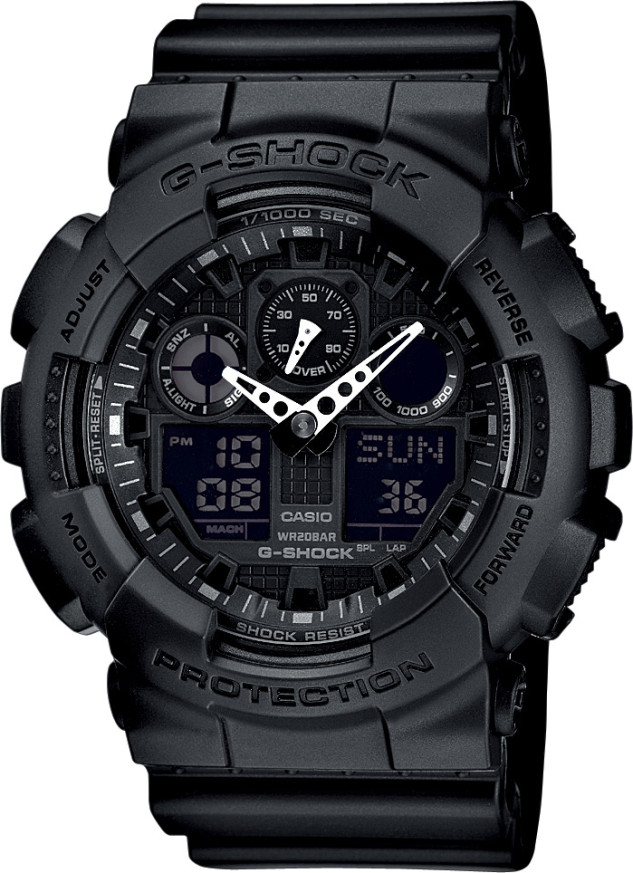
Casio module 5081: user manual and setup (GA-100, GA-100B, GA-100GGB)
The module number is printed on the case back of the watch. It is a four-digit number and stands apart from the model number. If the case back says 5081, this manual applies to your watch.
Which watches use module 5081
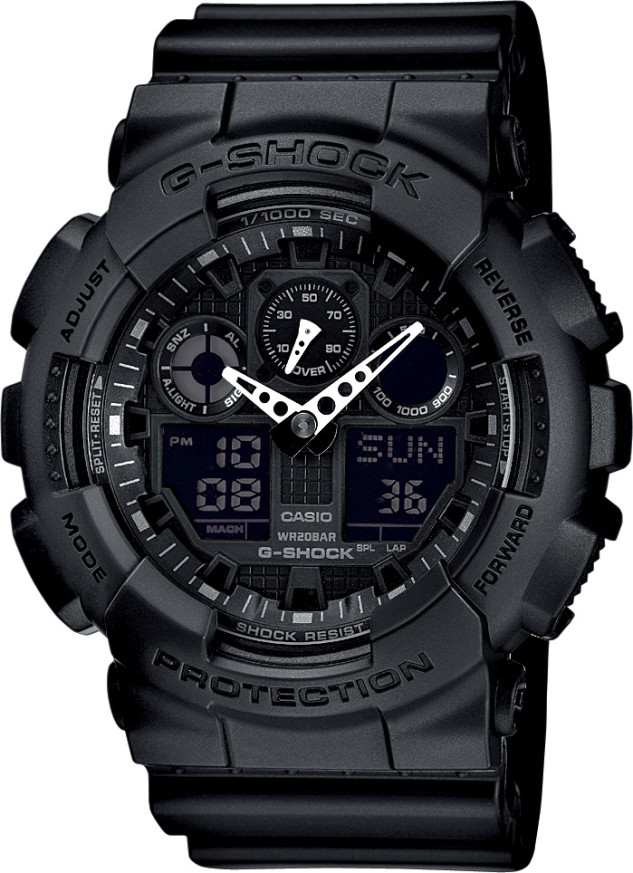
Module 5081 is a combined analog-digital module. The time is shown with hour and minute hands. The digital displays show the date, seconds and the functions of the individual modes. There is also a separate speed hand that works together with the stopwatch. The module is used in the G-Shock GA-100 series. At Classic it is available in the following models:
- GA-100-1A1ER – Casio G-Shock GA-100-1A1ER
- GA-100-1A2ER – Casio G-Shock GA-100-1A2ER
- GA-100B-4AER – Casio G-Shock GA-100B-4AER
- GA-100-1A4ER – Casio G-Shock GA-100-1A4ER
- GA-100B-7AER – Casio G-Shock GA-100B-7AER
- GA-100TU-1A3ER – Casio G-Shock GA-100TU-1A3ER
- GA-100GGB-1A9ER – Casio G-Shock GA-100GGB-1A9ER
Buttons and modes
The manual labels the buttons with the letters A, B, C and D. Button C changes the modes. Button B turns on the illumination in every mode except the setting mode. Button A enters and exits the settings. Button D switches the displays and changes the values.
Each press of C changes the modes in this order:
- Timekeeping Mode
- Stopwatch Mode
- Countdown Timer Mode
- Alarm Mode
- World Time Mode
In the Timekeeping Mode, button D switches the lower left display between the date and the Home City time. The date screen shows the day of the week, the day number and the seconds. The time screen shows the day of the week, the hour, the minutes, the seconds and the PM indicator.
How to set the time and date
- In the Timekeeping Mode, hold down A for about three seconds. The city code starts to flash in the lower right display. This is the setting mode.
- Use D and B to select your Home City code. Do this before any other setting. The full list of codes is in the City Code Table in the manual.
- Press C to move the flashing between the screens. The order is: city code, DST, seconds, hour, minutes, 12/24-hour format, year, month, day, illumination duration.
- When the value you need is flashing, change it. City code: D (east) and B (west). DST, 12/24-hour format and resetting the seconds: press D. Hour, minutes, year, month and day: D (+) and B (–).
- Press A to exit the setting.
The day of the week is shown automatically according to the set year, month and day.
Daylight Saving Time (DST)
Daylight Saving Time moves the time one hour forward from Standard Time. Not all countries and regions use it. In the Timekeeping Mode, hold down A for about three seconds until the city code flashes. Press C to reach the DST screen. Use D to turn the setting on and off. Press A to exit. By default DST is turned off. When it is on, a DST indicator appears on the display.
12-hour and 24-hour format
In the 12-hour format, the PM indicator is shown above the hour digits from noon to 11:59 pm. For the hours from midnight to 11:59 am there is no indicator. In the 24-hour format, the time is shown from 0:00 to 23:59 without PM. The selected format applies in all other modes.
Stopwatch and speed measurement
The stopwatch measures elapsed time, lap times and split times. If you set a distance, the watch calculates and shows speed. The digital range is 99 hours, 59 minutes, 59.999 seconds. After this limit the count starts again from zero. The measurement continues even after you exit the mode. In that case the segments in the upper right dial light up and go off in sequence. Before pressing any button in this mode, make sure the speed hand is not moving.
Setting a distance:
- In the Stopwatch Mode, the stopwatch must be stopped and reset. To reset, press A.
- Hold down A for about three seconds until the watch beeps and DIST appears in the lower right display. The left digit of the distance flashes.
- Use C to move the flashing between the digits to the left and right of the decimal point.
- Use D (+) and B (–) to change the value. The range is from 0.1 to 99.9.
- Press A to exit.
The distance can be in kilometers, miles or another unit. At 0.0 no speed is calculated. For lap times you can set the distance of one lap or the total distance. For split times only the total distance is set. That is why the speed shown for split times is not the real split speed.
The speed is shown by the upper right dial, the 1000 and MACH indicators and the speed hand. The upper right dial shows the hundreds. The 1000 indicator appears above 1000, and MACH above 1226. The hand shows values below 100, even numbers only. The range is from 0 to 1998, above it OVER is shown. Example: at a speed of 1740, 1000 and MACH are shown, the dial points to 700, and the hand points to 40.
For split times the lower right display must show SPL. If it shows LAP, press A to switch. The sequence is: D start, A split time, A split release, D stop, A reset. The split time is released automatically after about 12 seconds. Split times can be taken an unlimited number of times. While such a time is shown, the SPLIT indicator flashes. Pressing D to stop shows the time and speed of the last reading, that is, the total elapsed time.
Illumination
Button B illuminates the display in every mode except the setting mode. The illumination duration is selected in the watch settings. The possible values are 1.5 seconds and three seconds. The watch also has an auto light switch. According to the manual, it turns itself off about six hours after being turned on. To turn it on again, the procedure is repeated.
Hand correction and accuracy
The manual contains a section on correcting the home position of the hands. It applies to the speed hand and to the hour and minute hands. The accuracy of the module at normal temperature is plus or minus 15 seconds per month.
The original Casio manual (PDF)
The full steps for the countdown timer, the alarm, world time and hand correction are in the original document: Casio module 5081 manual (PDF, English). This is the official Casio document for module 5081.
Casio at Classic: browse all Casio watches at Classic and the manuals for all Casio modules. The watches can be seen in person at Boutique CLASSIC on Knyaz Boris I 32 and at the store in Mall Varna.