

Casio module 5230: manual and setup (AWG-M100A)
03.09.2026
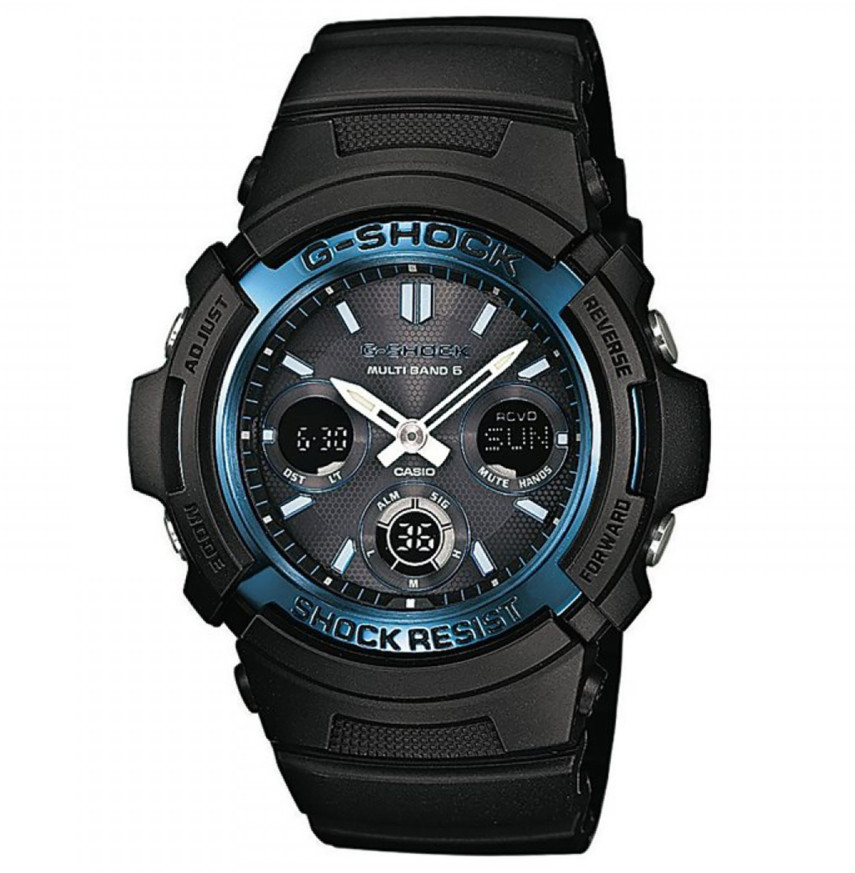
Casio module 5230: user manual and setup (AWG-M100A)
The module number is engraved on the case back of the watch, among the other markings. If it says 5230 there, this guide applies to your watch. Module 5230 is a solar model with radio time calibration, hands and digital displays.
Which watches have module 5230
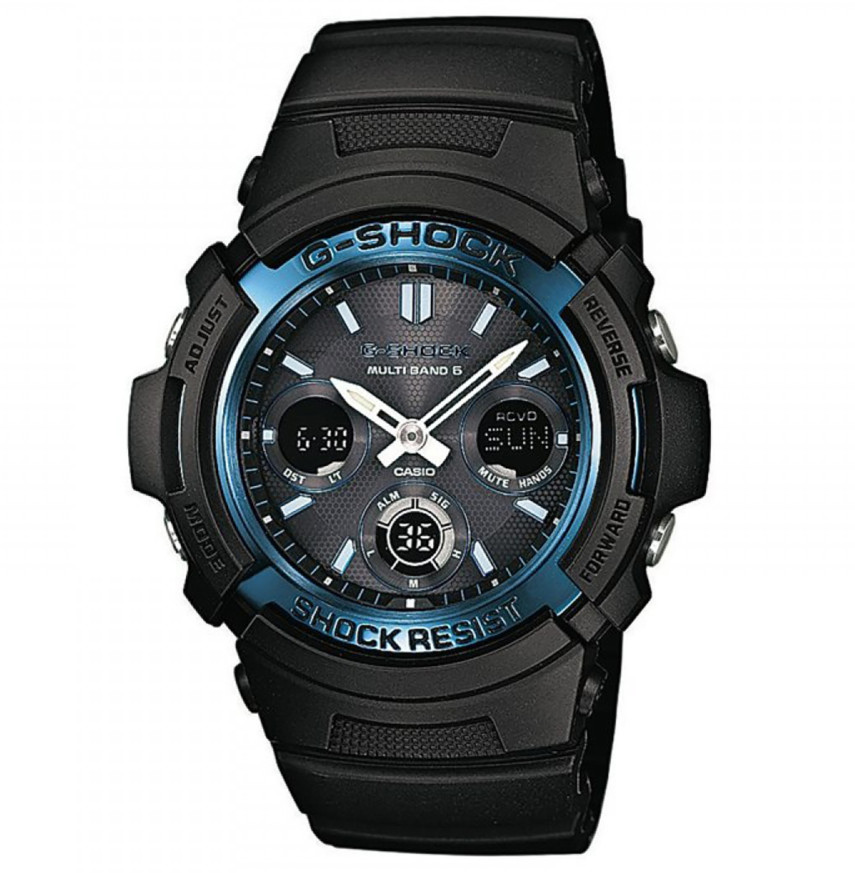
According to the manual, the watch is a combination model. It has an hour hand, a minute hand and digital displays, including a lower digital display for the battery indicator. It is powered by a solar panel in the face and a built-in rechargeable battery. It supports reception of a radio signal for time calibration.
Buttons and modes
In the manual, the buttons are marked with letters on the illustration of the watch. According to the contents of the manual, the module has the following modes:
- Timekeeping – current time and date;
- World Time – time in another time zone;
- Stopwatch – elapsed time measurement;
- Countdown Timer – countdown timer;
- Alarm – alarm and hourly time signal.
The manual also contains a Mode Reference Guide section (page E-37) with an overview of the modes.
How to set the time and date
The manual describes three steps before first use:
- Check the battery level. The lower digital display should show the H or M indicator. If it is not there, leave the watch in light until it charges.
- Set the Home City and daylight saving time (DST). The procedure is described on page E-42 "To configure Home City settings". Changing the DST setting is on page E-45.
- Set the current time. There are two ways: by radio signal (page E-26 "To get ready for a receive operation") or manually (page E-48 "Configuring Current Time and Date Settings Manually").
Casio points out that signal reception and the data in World Time Mode depend on correct Home City, time and date settings in Timekeeping Mode. At battery level 5 and when the battery is replaced, all settings return to their factory defaults. After charging to level M, the time, date and other settings must be entered again.
Radio time calibration
Module 5230 receives a time calibration signal. The manual describes preparing for reception (page E-26), manual reception (page E-29), checking the result of the last reception (page E-33) and turning auto receive on or off (page E-34). At battery level L, automatic and manual reception are disabled.
Charging and battery levels
The face of the watch is a solar panel. It charges the built-in battery whenever it is exposed to light. When you are not wearing the watch, leave it in a bright place. When wearing it, make sure your sleeve does not cover the face, because this can cause sleep state. Stronger light charges more efficiently.
The battery indicator is in the lower digital display:
- H and M – all functions work.
- L and a flashing LOW indicator – signal reception, illumination and sound are disabled. Only Timekeeping Mode works. Charge the watch as soon as possible.
- CHG – only the time display and the CHG indicator in the lower display work.
- Level 5 – the hands stop at 12 o'clock, all functions are disabled and the settings are reset.
During long exposure to strong light, the watch heats up. Casio warns about a car dashboard in the sun, proximity to an incandescent lamp and direct sunlight. When overheated, the digital displays may darken and recover after cooling. After very strong light, the indicator may temporarily show a higher level. The correct value appears after a few minutes.
Power recovery mode
Repeated use of illumination, sound or fast hand movement within a short time can make the H, M and L indicators flash at the same time. Then the illumination, alarm, timer and hourly time signal are stopped. Power recovers in about 15 minutes and the flashing stops. If CHG is also flashing, the battery is very low and the watch must be placed in strong light. Frequent flashing means a low battery.
Power Saving
With Power Saving turned on, the watch enters a sleep state if it stays in the dark for a certain time. Turning it on and off is described on page E-83, and recovery from sleep state on page E-20. For long storage, Casio recommends Power Saving turned on and a place with bright light.
World Time
World Time Mode shows the time in another time zone. The manual describes viewing the time in another zone, setting standard time or daylight saving time for the city and swapping the Home City with the World Time city (pages E-53 – E-55).
Stopwatch
Stopwatch Mode measures elapsed time. It describes pausing at a split time and measuring two finishes (pages E-57 – E-58).
Countdown Timer
In Countdown Timer Mode, you set the countdown start time and then start the countdown. A signal sounds at the end, and it can be stopped (pages E-60 – E-62).
Alarm and hourly time signal
In Alarm Mode, you set the alarm time and can test the alarm. The alarm and the Hourly Time Signal can be turned on and off (pages E-63 – E-66).
Illumination
Illumination is turned on manually. The manual describes changing the illumination duration and turning the auto light switch on or off, pages E-68 – E-72. At battery level L, illumination does not work.
Hand position
The manual describes manual adjustment of the home position of the hands (page E-75). The hands can also be moved temporarily so they do not cover the digital displays. After that, they return to their normal position (pages E-78 – E-80).
Other settings
The button operation tone can be turned on or off (page E-81). The manual also contains sections on troubleshooting, specifications, precautions and maintenance.
The original Casio manual (PDF)
Casio module 5230 manual (PDF, English) is the official Casio document with the full procedures and the button illustrations.
Casio at Classic. Browse all Casio watches at Classic and the manuals for all Casio modules. The watches can be seen in person at Boutique CLASSIC on Knyaz Boris I 32 and at Mall Varna in Varna, Bulgaria.