

Casio module 5530: manual and setup (EFS-S641)
04.09.2026
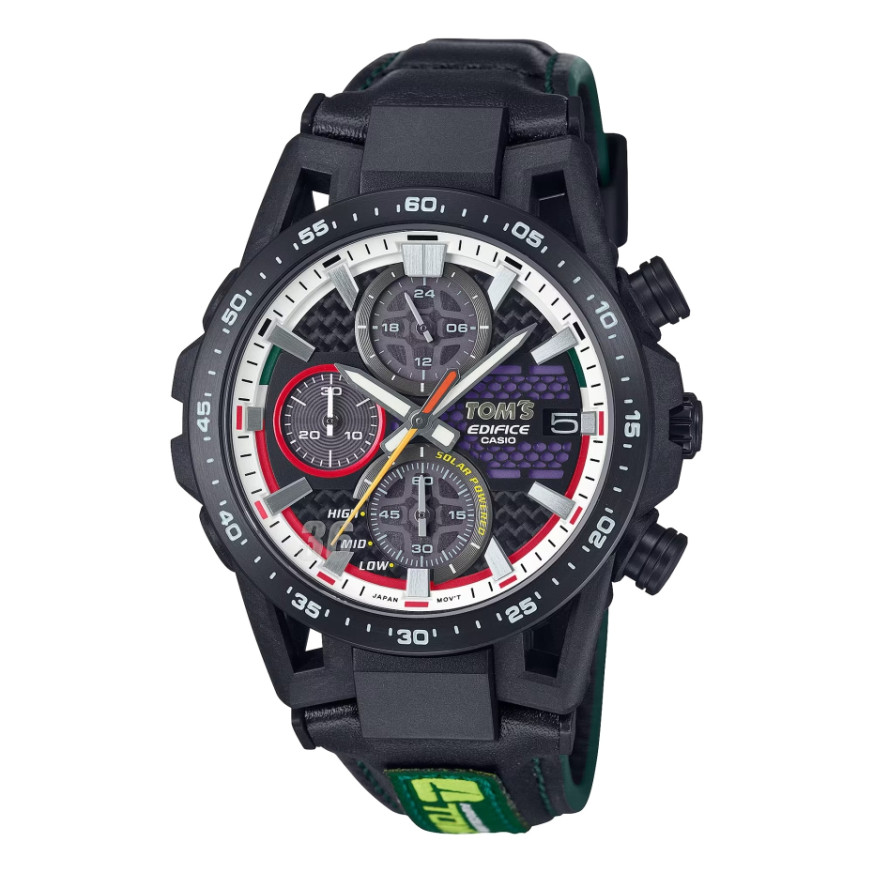
Casio module 5530: user manual and setup (EFS-S641)
The module number is printed on the back of the watch case, among the other markings. It is a four-digit number and defines the functions and the setting procedure. If the back of your Casio says 5530, this guide applies to it.
Which watches use module 5530
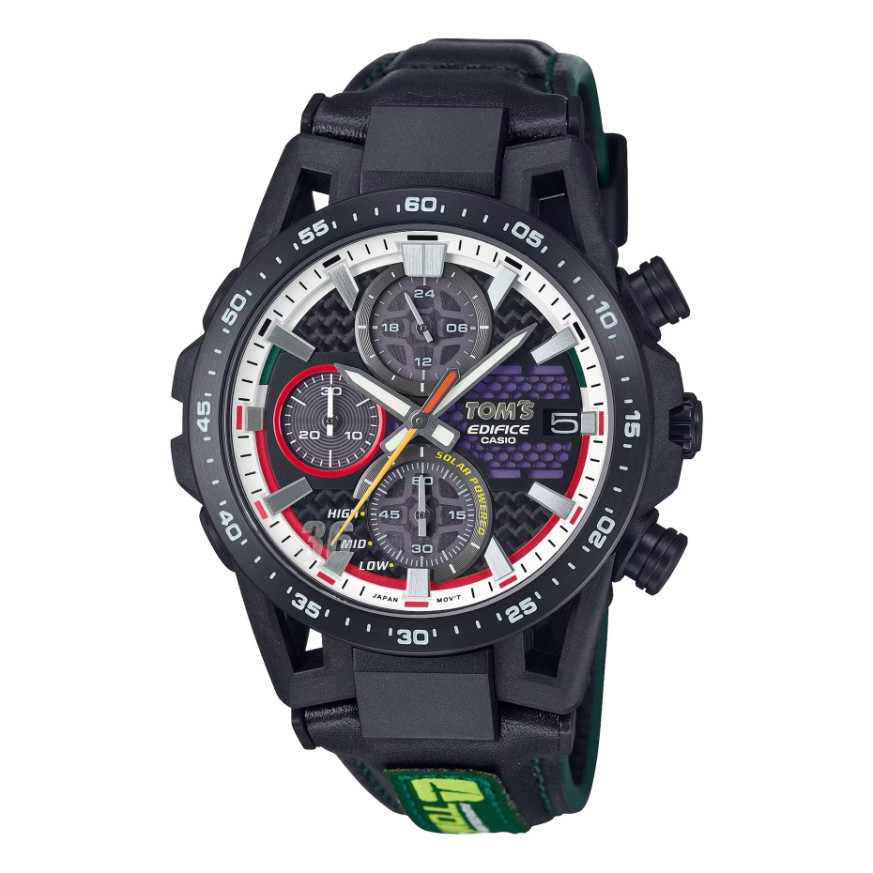
Module 5530 is an analog solar movement. The time is shown with hour, minute and second hands. There is also a 24-hour hand, a day-of-month indicator and two small stopwatch hands. Power comes from a solar panel that charges a built-in rechargeable battery. The same Casio manual also covers modules 5529, 5557, 5564 and 5585.
Buttons, crown and hands
The watch has two buttons and a crown. Button A is above the crown, and button B is below it. The crown has two pulled-out positions: first click (Click 1) and second click (Click 2). The first click is for the day, the second for the time.
The dial has an hour hand, a minute hand and a second hand. Separate from these are the 24-hour hand, the day indicator, the stopwatch minute hand and the stopwatch second hand.
Before first use, check whether there is a spacer around the crown. Some watches ship with one from the factory. Remove it before using the watch.
On models water resistant to 100 or 200 meters, the crown is a screw-lock crown. Turn it toward you to unscrew it, then pull it out without force. While the crown is unscrewed, the watch is not water resistant. After setting, screw it fully back in.
If the model has a rotating bezel, align the ▼ mark with the minute hand. You can then read the elapsed time from that moment on the bezel.
How to set the time and date
Setting the time:
- Wait until the second hand reaches 12 o'clock and pull the crown out to the second click (Click 2).
- Turn the crown to set the hour and minutes.
- Push the crown back in on a time signal. The watch starts running again.
Take care to set the correct morning or afternoon time (AM or PM). Move the minute hand four or five minutes past the desired time. Then move it back to the exact setting.
Setting the day of the month:
- Pull the crown out to the first click (Click 1).
- Turn the crown toward you until the required day appears.
- Push the crown back in.
The day indicator works with a 31-day month. In shorter months, correct it manually. Do not change the day between 9:00 PM and 1:00 AM. Otherwise the indicator may not change correctly at midnight. While the crown is pulled out, timekeeping stops.
Solar charging
The whole dial is a solar panel. It generates current in light and charges the built-in battery. Keep the watch in light as often as possible. When you are not wearing it, leave it in a place with light. Stable operation requires at least half a day of light per month. When you wear it, your sleeve should not cover the dial. Even partial covering reduces charging significantly.
The case can become very hot during charging. Take care to avoid burns after charging. Avoid charging on a car dashboard in the sun and near incandescent lamps. Do not leave the watch in direct sunlight for a long time.
Approximate charging time for one day of operation:
- Outdoor sunlight (50,000 lux): about 6 minutes.
- Sunlight through a window (10,000 lux): about 23 minutes.
- Cloudy day through a window (5,000 lux): about 36 minutes.
- Indoor fluorescent lighting (500 lux): about 6 hours.
Recovery from a fully discharged battery: in outdoor sunlight the second hand starts moving normally after about 2 hours, and a full charge takes about 21 hours. In sunlight through a window the times are 6 and 78 hours. On a cloudy day through a window they are 10 and 125 hours. Under fluorescent lighting the hand starts after about 96 hours, and no full charge time is given. The actual time depends on conditions.
Battery level indicator and low charge
With the crown pushed in, hold button B for about one second. The stopwatch second hand moves and shows the charge level. H means at least four months of operation. M means two to four months. L means no more than two months. After about two seconds the hand returns to 12 o'clock.
At low charge, the second hand starts jumping at two-second intervals. This is the low battery signal.
Stopwatch
The stopwatch measures elapsed time in 1-second steps up to 29 minutes and 59 seconds. Measurement stops automatically after 30 minutes. Do not operate the stopwatch while the crown is pulled out.
- Elapsed time: A start, A stop, A resume, A stop, B reset.
- Split time: A start, B split, B split release, A stop, B reset.
- Two finishes: A start, B split at the first finish, A stop at the second, B shows the time of the second, B reset.
Correcting the home positions of the hands
If the stopwatch hands do not return to zero after a reset, do the following.
- Pull the crown out to the second click (Click 2).
- Use button A (clockwise) and button B (counterclockwise) to move both stopwatch hands to 12 o'clock. Holding a button moves the second hand at high speed.
- Push the crown back in.
The stopwatch minute hand is synchronized with the second hand. While the crown is pulled out, the time does not run. After this procedure, set the correct time again.
Specifications
- Accuracy at normal temperature: ±20 seconds per month.
- Stopwatch: 30 minutes, 1-second step, elapsed time, split time, two finishes.
- Power supply: solar panel and one rechargeable battery.
- Operation without light after a full charge: about 5 months.
- Low charge signal.
The original Casio manual (PDF)
Casio module 5530 manual (PDF, English). This is the official Casio document for the module.
Casio at Classic: browse all Casio watches at Classic and the manuals for all Casio modules. The watches can be seen in person at Boutique CLASSIC on Knyaz Boris I 32 and at Mall Varna.