

Casio module 5556: manual and setup (GBD-200UU)
03.09.2026
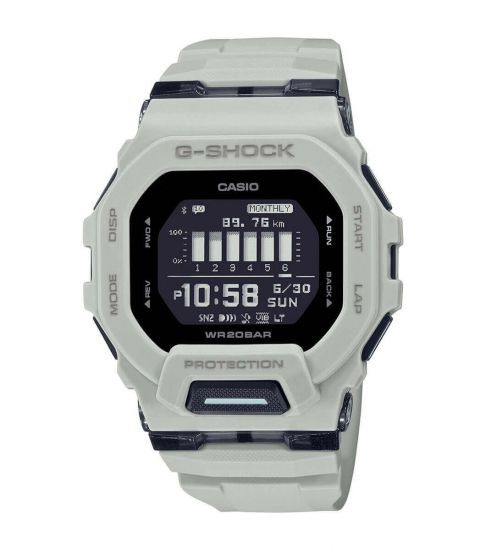
Casio module 5556: user manual and setup (GBD-200UU)
The module number is engraved on the back of the watch. It is usually in a small rectangle next to the other markings. If it says 5556, this manual applies to your watch. The module number defines the functions and the setup procedure, not the commercial model name.
Which watches use module 5556
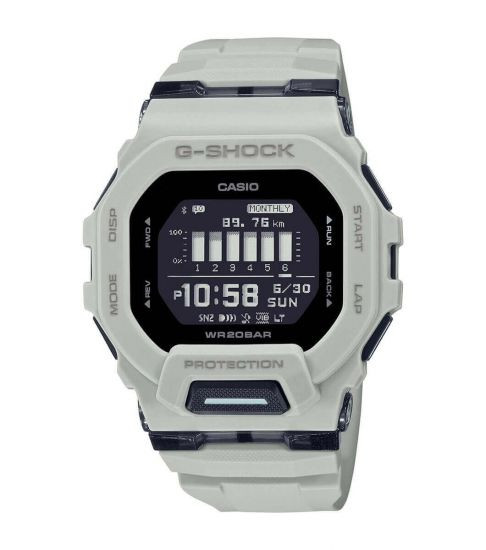
Module 5556 is a combination module. The watch has analog hands and a digital display. The hands can be moved aside to reveal the information on the display. The watch connects to a phone via Bluetooth and counts steps. The manual describes the CASIO "BABY-G Connected" app for connecting to the phone.
Buttons and modes
The manual mentions buttons (B), (C), (D) and (L). Button (C) switches between modes. Holding (C) for at least two seconds returns the watch to Timekeeping Mode from any mode.
The modes cycle in the following order when you press (C):
- Timekeeping – shows the current time
- Alarm – alarms
- Stopwatch – stopwatch
- Dual Time – second time
- Recall – review of records
- Timer – countdown timer
In Timekeeping Mode, button (B) changes the content of the digital display. There are three screens: month, date, seconds and day of the week; hour, minutes, seconds and day of the week; step count.
To move the hands aside, hold (L) and press (C). The hands move and the display becomes easier to read. Repeat the same combination to return the hands to their normal position. Changing the mode also returns the hands. While the hands are moved aside, the HND indicator is shown.
How to set the time and date
With module 5556, the time is adjusted automatically when connected to a phone. The manual also contains a section on manual time setting. First you need to pair the watch with the phone.
- Install the CASIO "BABY-G Connected" app from Google Play or the App Store.
- Turn on Bluetooth on the phone.
- Put the watch in Timekeeping Mode.
- Bring the phone to within one meter of the watch.
- Open the app from the phone's home screen.
- Follow the instructions on the phone screen to complete the pairing.
- If pairing fails, repeat the procedure from the first step.
After pairing, the connection is established as follows. In Timekeeping Mode, hold (D) for at least two seconds. Release the button when the connection indicator starts flashing. When the connection is ready, the indicator stops flashing. While connected, the watch time is adjusted to the phone. The other watch settings are also changed through the app.
To end the connection, press any button except (L). The connection is also ended after a set period of inactivity. This period is set in the app under "Watch settings" and "Connection time". The available values are 3, 5 or 10 minutes.
Automatic time adjustment
The watch connects to the phone at preset times every day. The time is adjusted automatically with each connection. If you want immediate adjustment, press (D). The connection indicator flashes until a connection is established. The watch time is then synchronized with the phone time.
The watch cannot connect to a phone while a stopwatch measurement or a timer countdown is in progress. The function works only while the app is running on the phone. If you change your phone, pairing must be done again.
Display indicators
The graphic area shows how much of the daily step goal has been reached. The step indicators show whether the counter is currently counting. The other markings on the display are as follows:
- SPL – a split time is shown
- LAP – a lap time is shown
- P – afternoon time
- LT – auto illumination is on
- REC – the watch is in Recall Mode
- TGT – the target time function is active in Stopwatch Mode
- HND – the hands are moved aside
- STEPS – the step count is shown
- DST – the current time is daylight saving time
The alarm indicator is shown when an alarm is on. The hourly time signal indicator is shown when the signal is active. A separate indicator flashes when the daily step goal is reached. Another indicator flashes if you have not walked for a set time. This is the Step Reminder function.
Stopwatch and timer
Stopwatch Mode measures elapsed time, split times and lap times. There is a target time function with the TGT indicator. Records are reviewed in Recall Mode and can be deleted one by one or all at once. Timer Mode counts down from a set start time. The manual also describes auto start and a programmable interval timer.
Step counter
The watch counts steps and shows the daily count on the display. You can set a daily goal and reset today's count. The Step Reminder function reminds you after prolonged inactivity. The manual also describes the causes of inaccurate step counts.
Alarms, dual time and illumination
In Alarm Mode you set alarms and the hourly time signal. Dual Time Mode shows a second time. The home city and the second time can be swapped. The manual also describes the daylight saving time setting for the home city. The illumination is turned on manually or automatically. When auto illumination is on, the LT indicator is shown. The illumination duration is set separately.
Other settings
The manual describes turning on the button operation tone. There is also a section on correcting the position of the hands. The Phone Finder function helps you locate your phone. The manual describes a procedure for using the watch in medical facilities and on aircraft. There is also a section on battery replacement.
The original Casio manual (PDF)
Casio module 5556 manual (PDF, English) is the official Casio document with the full procedures for every function.
Casio at Classic. Browse all Casio watches at Classic and the manuals for all Casio modules. There are two stores: Boutique CLASSIC on Knyaz Boris I 32 and Mall Varna.