

Casio module 5579: manual and setup (EFV-550, EFV-620)
03.09.2026
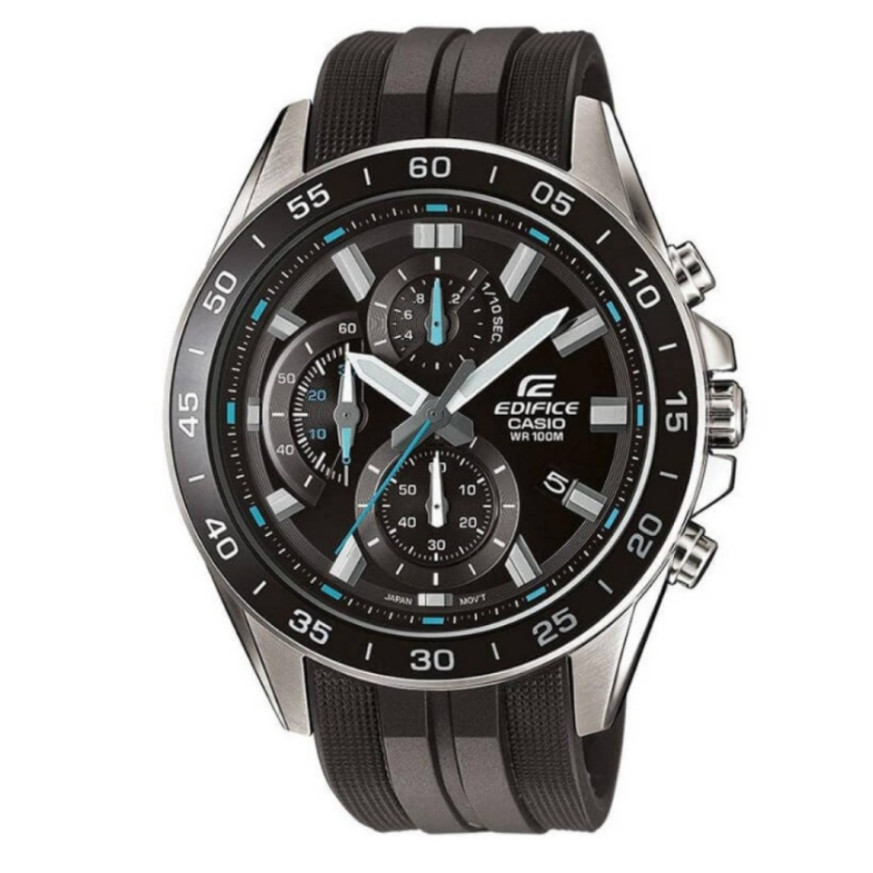
Casio module 5579: user manual and setup (EFV-550P, EFV-550GY, EFV-620D)
The module number is printed on the case back of the watch, usually in a small rectangle next to the other markings. If it says 5579, this manual applies to your watch. It covers setting the time and date, using the stopwatch, adjusting the hands and battery information.
Which watches use module 5579
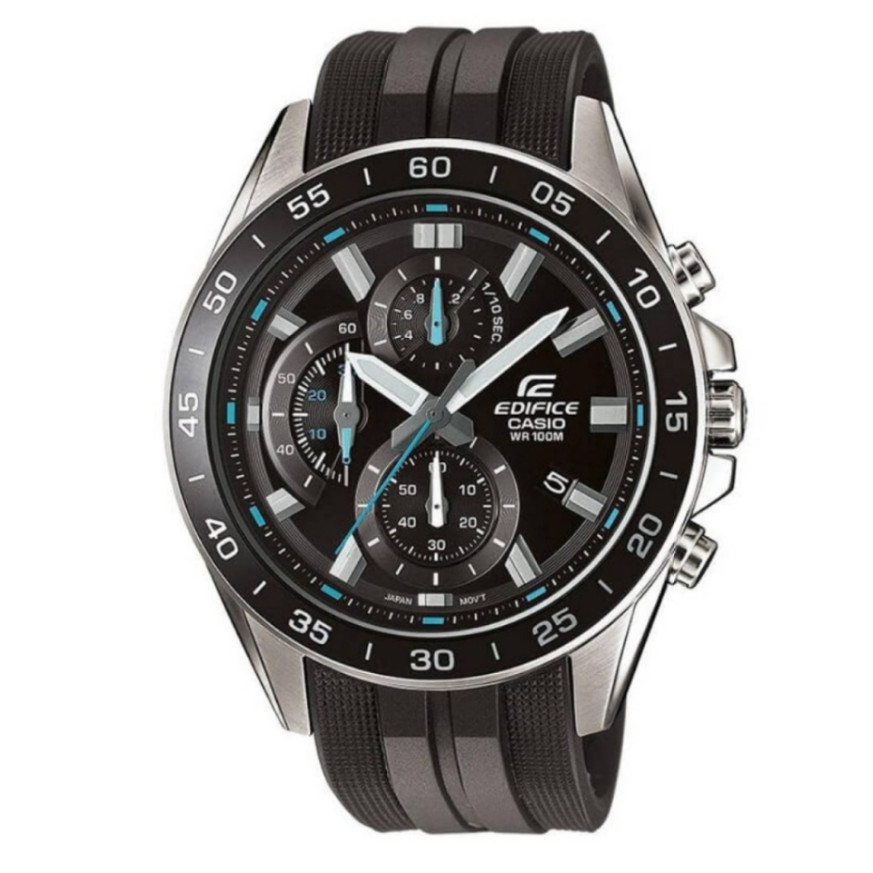
Module 5579 is a battery-powered analog movement. The time is shown with an hour, minute and second hand. The stopwatch has separate hands for minutes, seconds and tenths of a second. The date is shown with a day indicator. On some models part of the information is shown with rotating discs instead of hands. In the Classic stores this module is found in the following Casio Edifice models:
- EFV-550P-1AVUEF – Casio Edifice EFV-550P-1AVUEF
- EFV-550GY-8AVUEF – Casio Edifice EFV-550GY-8AVUEF
- EFV-620D-1A2VUEF – Casio Edifice EFV-620D-1A2VUEF
- EFV-620D-2AVUEF – Casio Edifice EFV-620D-2AVUEF
Buttons, crown and hands
The watch has two buttons, marked A and B, and a crown with two pull-out positions. The first position (Click 1) is used to set the date. The second position (Click 2) is used to set the time and to adjust the stopwatch hands. Button A starts, stops and resumes the stopwatch. Button B takes split times and resets the stopwatch. While the crown is pulled out, the watch does not keep time.
How to set the time and date
Setting the time:
- Wait until the second hand reaches 12 o'clock and pull the crown out to the second position (Click 2).
- Turn the crown to set the hour and minutes.
- Push the crown back to the normal position in line with a time signal to start timekeeping.
Make sure you set the correct morning or afternoon time. When setting, move the minute hand four or five minutes past the desired value. Then move it back to the exact minute.
Setting the date:
- Pull the crown out to the first position (Click 1).
- Turn the crown away from you to change the day.
- Push the crown back to the normal position.
The day indicator works with a 31-day month. At the end of shorter months the date is corrected manually. Do not change the date between 9:00 p.m. and 1:00 a.m. In this interval the indicator may not change correctly at midnight.
Stopwatch
The stopwatch measures elapsed time in 1/10 second steps, up to 59 minutes and 59.9 seconds. Measurement stops automatically after 60 minutes. Do not use the stopwatch while the crown is pulled out. The stopwatch has three measurement modes: elapsed time, split time and two finishes.
Elapsed time:
- Press A to start.
- Press A to stop.
- Press A to resume measurement.
- Press A to stop.
- Press B to reset.
Split time:
- Press A to start.
- Press B to take a split time.
- Press B again to release the split time.
- Press A to stop.
- Press B to reset.
Two finishes:
- Press A to start.
- Press B when the first runner finishes. The hands show that runner's time.
- Press A when the second runner finishes.
- Press B to release the split time. The hands show the second runner's time.
- Press B to reset.
Adjusting the home positions of the hands
If the stopwatch hands do not return exactly to zero after a reset, use the following procedure.
- Pull the crown out to the second position (Click 2).
- Press A to move the 1/10 second hand clockwise. Holding A moves the hand at high speed.
- Press B to move the stopwatch second hand clockwise. Holding B moves the hand at high speed. The stopwatch minute hand is synchronized with the second hand and is adjusted together with it.
- When all hands are at zero, push the crown back to the normal position.
While the crown is pulled out, the watch does not keep time. After the procedure, set the correct time again.
Screw-lock crown
Some water-resistant models (100 or 200 meters) have a screw-lock crown. Before setting, turn it towards you to unscrew it, then pull it out. Do not use excessive force when pulling it out. While the crown is unscrewed, the watch loses its water resistance. After setting, screw the crown in fully.
Rotating bezel
If the model has a rotating bezel, align the ▼ mark with the minute hand. The bezel then shows how much time has passed since that moment.
Battery and accuracy
The watch runs on an SR920SW battery. Its life is about 3 years with 60 minutes of stopwatch use per day. Accuracy at normal temperature is ±20 seconds per month.
The original Casio manual (PDF)
Casio module 5579 manual (PDF, English) is the official Casio document for this module.
Casio at Classic. Browse all Casio watches at Classic or the manuals for all Casio modules. The watches can be seen in person at Boutique CLASSIC on Knyaz Boris I 32 and at Mall Varna in Varna, Bulgaria.