

Casio module 5618: manual and setup (ECB-30DB, ECB-10DB)
03.09.2026
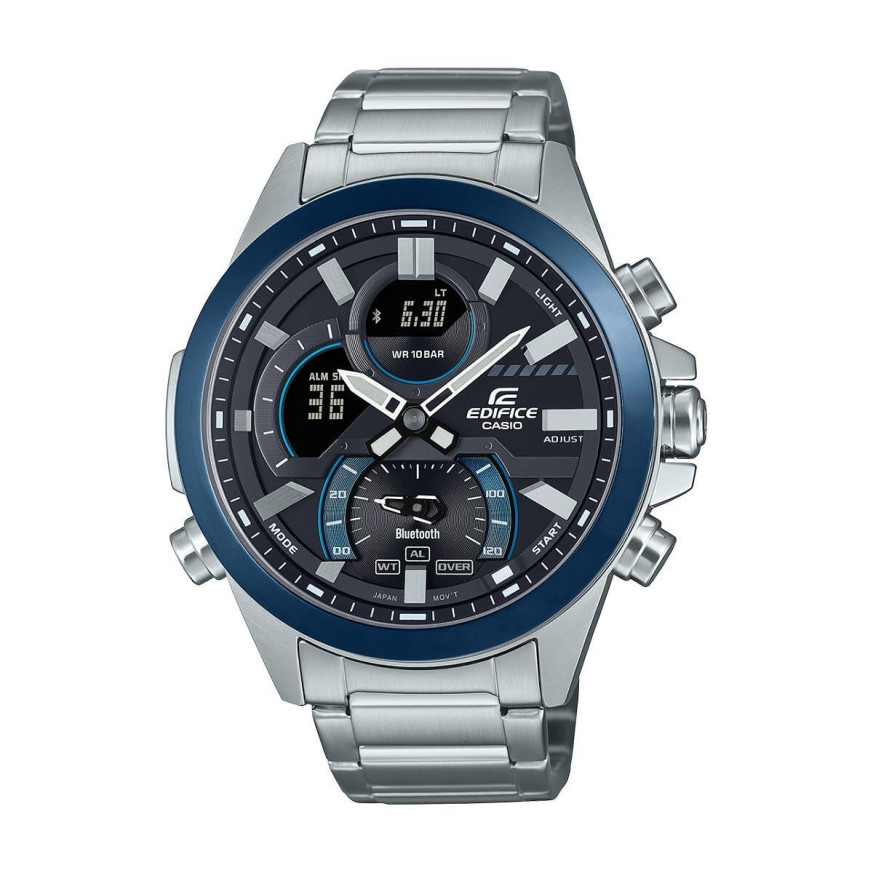
Casio module 5618: user manual and setup (ECB-30DB, ECB-10DB)
The module number is printed on the case back of the watch. It is a four-digit number, separate from the model number. If the case back says 5618, the buttons, modes and steps described here apply to your watch. The steps are taken from the official Casio manual for module 5618.
Which watches use module 5618
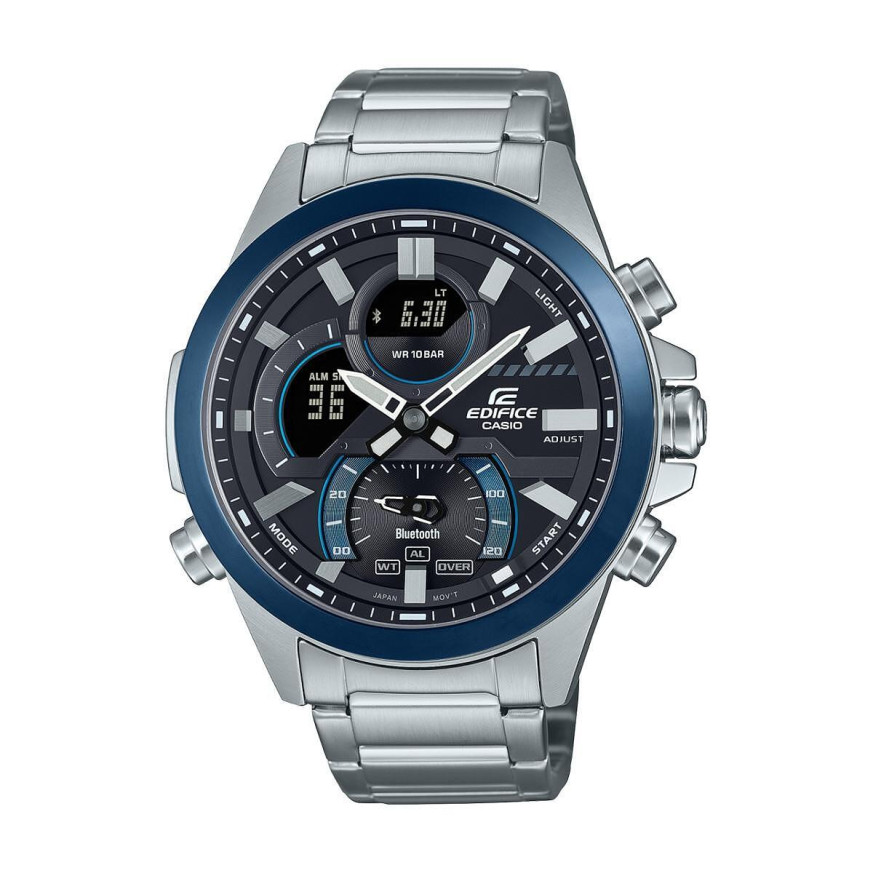
Module 5618 is a combination module: analog hands show the time, and a digital display shows the date, seconds and settings. There is also a separate mode hand, which points to the active mode or a current value. The watch connects to a phone and receives the exact time from it. This module is used in the following Edifice models:
Buttons and modes
The watch has four buttons, marked in the manual as A, B, C and D. Button C changes the modes. There are five of them: Timekeeping Mode, World Time Mode, Stopwatch Mode, Timer Mode and Alarm Mode. Holding C for at least two seconds returns the watch to Timekeeping Mode from any other mode.
The mode hand moves according to the active mode. In World Time Mode it points to WT, and in Alarm Mode it points to AL. In the Stopwatch it shows the lap seconds. In the Timer it shows the minutes, which are also visible on the display. In Timekeeping Mode it shows the remaining minutes of the current event in the Schedule Timer. With more than 120 minutes remaining, it points to OVER.
In Timekeeping Mode, each press of B changes the contents of the display. First the month, date and seconds are shown. Then the month, date and day of the week. Finally the hour, minutes and seconds. Pressing D shows the Schedule Timer.
The display has indicators for daylight saving time, Auto Light on, Airplane Mode, afternoon hours in 12-hour format, phone connection, alarm on and hourly time signal on. When the hands are moved aside to read the display, the corresponding indicator flashes.
How to set the time and date
The manual recommends setting via a phone. After pairing, the watch receives the date and time automatically (Auto Time Adjustment). If the phone cannot connect, the setting is done with the watch buttons. The first step is selecting the Home City.
- Enter Timekeeping Mode. From another mode, hold C for at least two seconds.
- Hold B for at least two seconds. Release the button when the name of the current Home City appears on the display.
- Use buttons A and D to select your Home City. The list of cities is in the City Table in the manual.
- The daylight saving time setting is AUTO by default for all cities. In most cases, this means no manual switching between daylight saving and standard time is needed.
- The same menu also contains other screens, which are changed with button C. For example, AUTO is on the thirteenth press, and LIGHT on the fourteenth. The full order of the time and date screens is in the PDF manual below.
- To exit the settings, press B.
On a plane or in a medical facility, turn on Airplane Mode. It stops the connection with the phone, and the corresponding indicator appears on the display.
Illumination and Auto Light
Pressing A turns on the dial illumination. If an alarm sounds at that moment, the illumination goes off. The illumination duration can be 1.5 or 3 seconds.
Auto Light turns on the illumination automatically when you tilt the watch toward your face at an angle of 40 degrees or more. It is set as follows: in Timekeeping Mode, hold B for at least two seconds until the Home City appears. Press C 13 times to reach the AUTO screen. Use D to switch between ON and OFF. Press B to exit. While Auto Light is on, LT stays on the display. The function remains active for about six hours and then turns off by itself.
For the illumination duration: from the same menu, press C 14 times to reach the LIGHT screen. Use D to select 1 for 1.5 seconds or 3 for 3 seconds. Press B to exit.
Auto Light may not work if the watch is tilted 15 degrees or more relative to the horizontal. Static electricity and magnetism also interfere. In that case, lower your arm and raise it toward your face again. The slight clicking sound during movement comes from the Auto Light switch and is not a malfunction. Auto Light does not work while an alarm, timer or other signal is sounding.
Moving the hands aside
When the hands cover the display, hold A and press C. The hands move aside and the display can be seen freely. To return them, hold A and press C again, or change the mode with C. If you do not press anything for about one hour, the hands return by themselves.
Stopwatch and Timer
The Stopwatch measures elapsed time and lap times, for example during a race. The mode hand shows the lap seconds. The recorded Stopwatch data can be viewed on the phone after connecting. The Timer works with a preset start time for the countdown. The Timer settings can also be set from the phone.
Alarm and hourly time signal
The watch has alarms and an hourly time signal on every full hour. They are set in Alarm Mode, where the mode hand points to AL. The two functions can be turned on and off separately. With an active alarm and an active hourly time signal, separate indicators stay on the display. The alarm can also be set from the phone.
World Time
World Time Mode shows the time in a second city. The choice is from more than 300 cities. The mode hand points to WT. The Home City time and World Time can be swapped, which is convenient when traveling. The World Time city is set on the watch or from the phone.
Phone connection (Mobile Link)
To transfer data and settings, the watch is first paired with the phone. After that, automatic time adjustment, Schedule Timer, viewing of Stopwatch data, and Timer, alarm and World Time settings are available. Hand position adjustment, changing the Home City and searching for the phone (Phone Finder) are also done from the phone. The manual also describes settings for the date format, the language of the day of the week, notification sound and button tone. There is also a section on unpairing, including when changing the phone. The list of supported phones is in the PDF file.
Battery
When the battery is running low, an indicator starts flashing on the display and some functions stop working. If the indicator keeps flashing, the battery must be replaced. Casio recommends having the replacement done at a Casio service center or at the retailer where the watch was purchased.
The original Casio manual (PDF)
Casio module 5618 manual (PDF, English) is the official Casio document with all screens, city tables and specifications.
Casio at Classic: browse all Casio watches at Classic or the manuals for all Casio modules. The watches can be seen in person at Boutique CLASSIC on Knyaz Boris I 32 and at Mall Varna in Varna, Bulgaria.