

Casio module 5696: manual and setup (AQ-800E)
04.09.2026
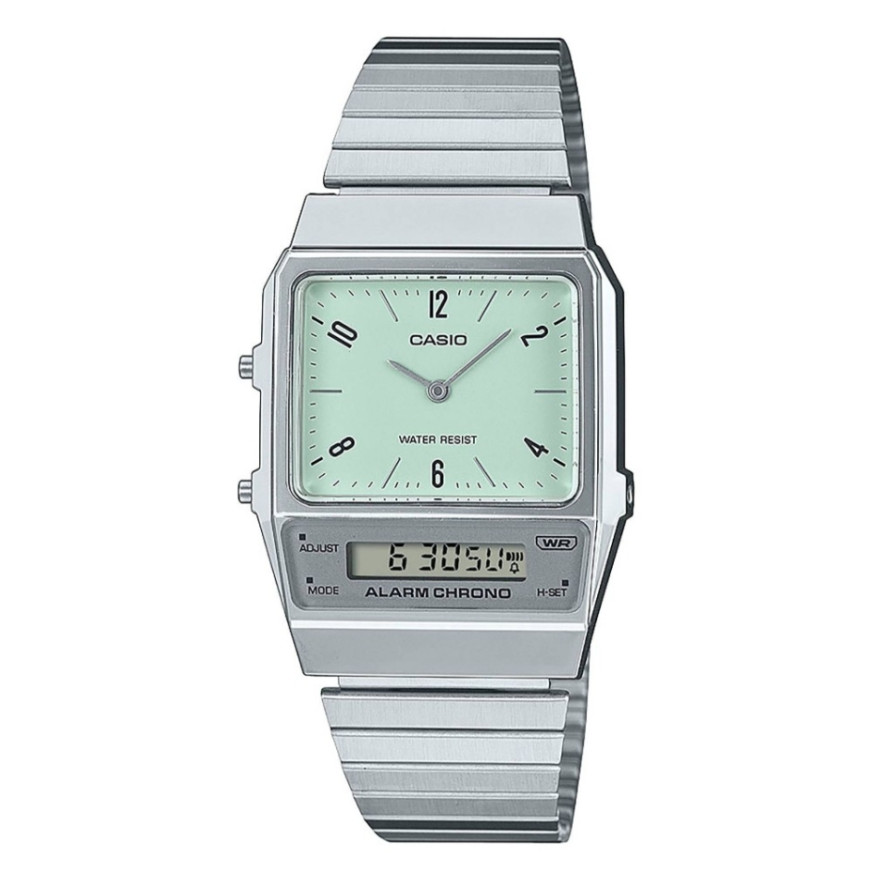
Casio module 5696: user manual and setup (AQ-800E, AQ-800EC, AQ-800EG)
The module number is engraved on the case back of the watch. It is a four-digit number, usually in a small rectangle next to the other markings. If it says 5696, this guide applies to your watch. The settings below follow the official Casio manual, and the PDF file itself is at the end.
Which watches use module 5696
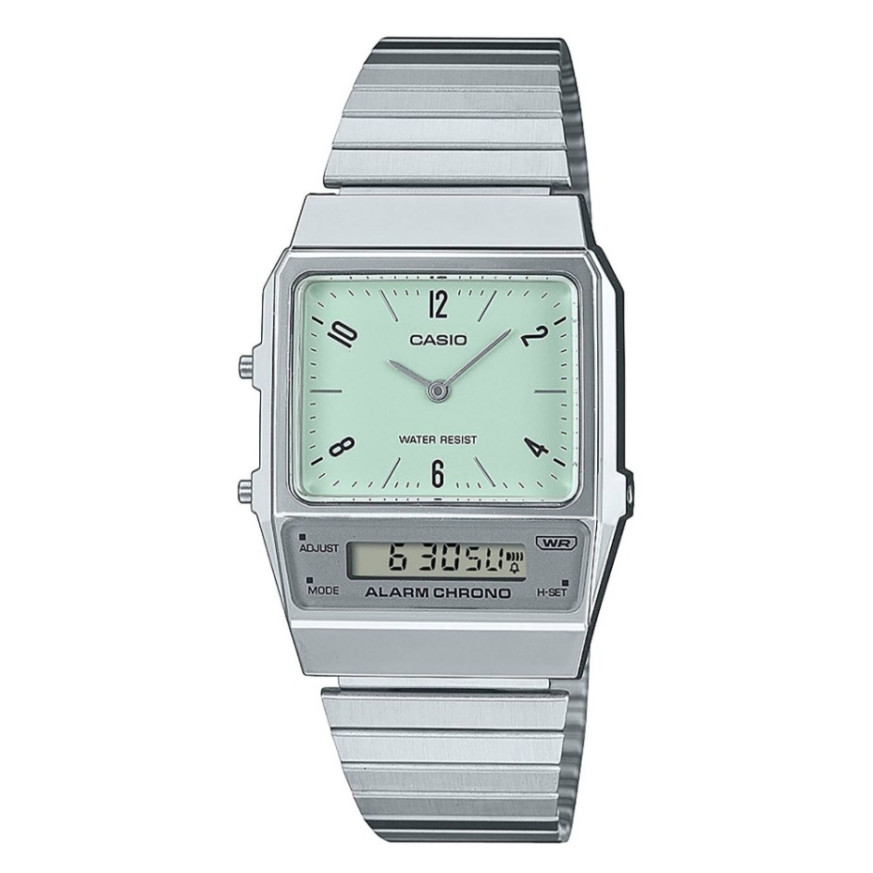
Module 5696 is a combined analog-digital module. The hands show hours and minutes, and the display shows digital time, date, alarm, stopwatch and dual time. Depending on the model, the display digits are dark on a light background or light on a dark background. At Classic the module is found in the AQ-800 series of Casio Collection:
- AQ-800E-3AEF – Casio Collection AQ-800E-3AEF
- AQ-800EC-2AEF – Casio Collection AQ-800EC-2AEF
- AQ-800E-7AEF – Casio Collection AQ-800E-7AEF
- AQ-800EG-9AEF – Casio Collection AQ-800EG-9AEF
Buttons and modes
The manual labels the buttons with the letters A, B and C. Button A opens the settings and moves the flashing position. Button B changes the mode and changes the selected value. Button C adjusts the analog time of the hands.
Each press of B switches the modes in the following order:
- Timekeeping Mode
- Date Mode
- Alarm Mode
- Stopwatch Mode
- Dual Time Mode
In Date Mode the day of the week is shown as an abbreviation: SU Sunday, MO Monday, TU Tuesday, WE Wednesday, TH Thursday, FR Friday, SA Saturday. If you do not press a button for one or two minutes in a setting screen, the watch returns to Timekeeping Mode on its own.
How to set the time and date
Digital time
- In Timekeeping Mode hold A for at least two seconds. The seconds start to flash.
- Each press of A moves to the next position: seconds, 12/24-hour format, hour, minutes.
- Use B to change the selected value. For the seconds, B resets them to 00. If the seconds are between 30 and 59, the minutes increase by one.
- For the hour and minutes, holding B scrolls the value quickly. For the format, B switches between 12H and 24H.
- Press A to return to Timekeeping Mode. The setting is complete when the screen stops flashing.
In 12-hour format the afternoon hours are marked with a PM indicator on the display.
Date
- Use B to enter Date Mode and hold A for at least two seconds. The month starts to flash.
- Use A to select a position: month, day, day of the week.
- Use B to change the value. Holding B scrolls quickly.
- Press A to return to Date Mode. The setting is complete when the screen stops flashing.
The calendar is automatic and recognizes months of different lengths. A correction is needed only in a leap year or after a battery replacement.
Analog time
The hands are adjusted with button C, in any mode. Each press moves the hands 20 seconds forward. Holding C moves them quickly. Set the hands so that they match the digital time. The minute hand moves every 20 seconds.
Alarm and hourly time signal
The daily alarm sounds for 20 seconds at the set time every day. The hourly time signal makes a short sound on every full hour. Both functions work by the digital time, not by the hands.
- In Alarm Mode hold A for at least two seconds. The alarm hour starts to flash.
- Use A to select a position: hour, tens of minutes, ones of minutes, alarm and hourly time signal setting.
- Use B to change the value. Holding B scrolls quickly.
- In the on/off position each press of B changes the state: both on, both off, alarm only, hourly time signal only.
- Press A to return to Alarm Mode.
When the alarm sounds, stop it with A or B. To test the sound, hold B in any mode. The display has indicators for the alarm on and for the hourly time signal on.
Dual Time
The function shows the current time in another time zone. This way the watch can show three times: digital, analog and dual time. The seconds of the dual time are synchronized with the digital seconds.
- In Dual Time Mode hold A for at least two seconds. The hour starts to flash.
- Use A to select a position: hour, minutes, 12/24-hour format.
- Use B to change the value. In the format screen B switches between 12 and 24.
- Press A to return to Dual Time Mode.
Stopwatch
The stopwatch measures elapsed time to 1/100 of a second. The range is 59 minutes and 59.99 seconds. The display shows minutes, seconds and hundredths. All operations use button A.
- Press A to start.
- Press A to stop.
- Press A again to resume the measurement.
- Press A to stop, then hold A for two seconds to reset.
This is also how accumulated time with interruptions is measured.
Battery and accuracy
The watch runs on one SR920W battery. Its life is about 3 years with one 20-second alarm per day. The accuracy is on average ±30 seconds per month. After a battery replacement, check the date and time.
Water resistance
Check the marking on the case back or the dial. A watch marked WATER RESIST without BAR withstands hand washing and rain. At 5BAR swimming is allowed, and at 10BAR and 20BAR also windsurfing and diving without a tank. Do not press the buttons under water and do not wear the watch in a bath or sauna. After sea water, rinse it with clean water.
The original Casio manual (PDF)
Casio module 5696 manual (PDF, English) is the official Casio document for this module and contains all the diagrams of the buttons and modes.
Casio at Classic. Browse all Casio watches at Classic or look up the manuals for all Casio modules. You will also find the models in both stores in Varna, Bulgaria: Boutique CLASSIC on Knyaz Boris I 32 and Mall Varna.