

Casio module 5710: manual and setup (ECB-2200P)
04.09.2026
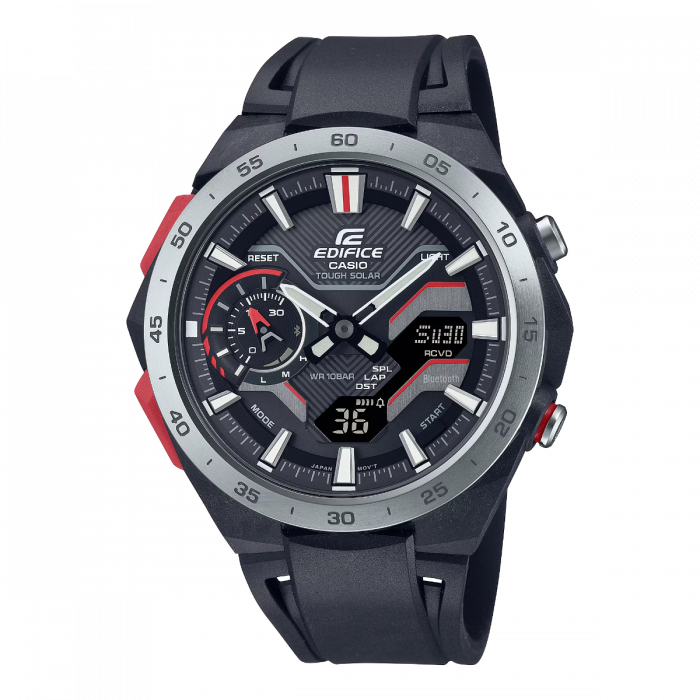
Casio module 5710: user manual and setup (ECB-2200P)
The module number is engraved on the case back of the watch, usually in a small rectangle next to the other markings. If it says 5710 there, this guide applies to your watch. The module defines the functions and the setting procedure, not the model name, so check the case back first.
Which watches have module 5710
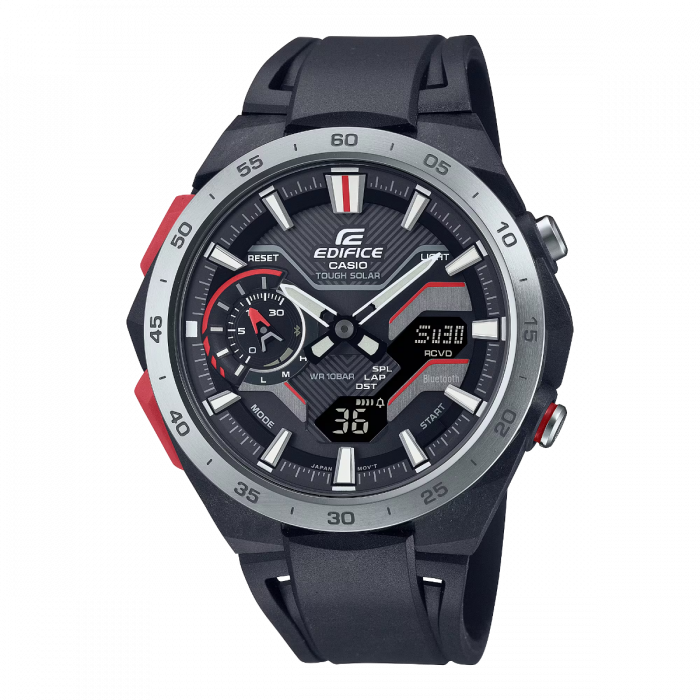
Module 5710 is a combination module: the watch has hands and a digital display. The manual describes hand alignment and moving the hands so the digital display can be seen. The watch connects to a phone through the CASIO WATCHES app and is rechargeable, and the manual includes a section on checking the charge level. At Classic this module is found in the following model:
Display and modes
The manual contains a general overview of the dial and the display indicators. The main mode is the Timekeeping Mode. In this mode the digital display can show different content, which is changed as described in the manual. There is also a separate procedure for moving the hands when they cover the digital display. The exact buttons and sequences are shown in the original PDF at the end of the article.
How to set the time and date
- Check that the case back says 5710 and open the Time Adjustment section in the manual.
- Set the Home City and the daylight saving time setting. The list of cities is in the City Table at the end of the manual.
- The easiest way is automatic time adjustment through the phone. Install CASIO WATCHES, connect the watch and let the time synchronize.
- If you do not have a phone at hand, use manual setting on the watch itself. It is described in the section Using Watch Operations to Adjust the Time.
- If the hands do not match the digital time, perform Hand Alignment. It can be done from the watch or through the app.
Connecting to a phone
The watch works with the CASIO WATCHES app. The manual describes pairing, connecting and disconnecting, as well as unpairing. There are separate instructions on what to do when you change your phone. The list of supported phones is in the Supported Phones section.
The time, World Time, alarm and timer are set through the phone. The Phone Finder function helps you find your phone. The TIME & PLACE function records your current location. When travelling to another time zone, the manual describes how to change the Home City.
World Time
The watch shows the time in a selected city from the City Table. The World Time city is set from the watch or through CASIO WATCHES. Home Time and World Time can be swapped. This is convenient during a longer stay abroad. The Summer Time Table shows which cities use daylight saving time.
Alarm and hourly time signal
The alarm is set from the watch or through the app. An hourly time signal can also be turned on. The manual explains how to stop a sounding alarm or the hourly time signal. There is also an indication of the time remaining until the alarm.
Stopwatch
The Stopwatch measures elapsed time. It supports split times and lap times. The difference between the two is explained in the manual. Recorded stopwatch data can be reviewed later.
Countdown Timer
The Countdown Timer counts down from a set start time. The start time is set from the watch or through CASIO WATCHES. The watch shows an indication of the remaining time during the countdown. The sound at timer start can be turned off in the settings.
Charging and charge level
The manual has a Charging section and a section on checking the charge level. There is also a Power Saving function, which is turned on and off in the settings. The Battery section at the end of the manual gives additional guidance. Illuminating the dial in the dark is described in the section Viewing the Face in the Dark.
Other settings
- Language for the day of the week.
- Button operation tone, which can be turned on.
- Sound at timer start, which can be turned off.
- Power Saving settings.
- Returning the watch to its initial settings (Reset).
Water resistance and care
Check the water resistance marking on the front or on the case back. At 5 BAR the watch withstands hand washing, rain, working with water and swimming. At 10 BAR and 20 BAR windsurfing and skin diving are also allowed. Scuba diving is not permitted at any rating.
Do not press the buttons or turn the crown while the watch is wet or under water. After sea water, rinse with clean water. The gaskets are replaced periodically, about once every two or three years. Avoid saunas, hot water and soaps. If moisture remains on the display, stop using the watch and contact a service center.
Do not leave the watch on a car dashboard, next to a heater or at very low temperatures. The display becomes hard to read below 0 °C and above 40 °C. Keep the watch away from thinners, petrol, cosmetics and adhesives. A leather strap should not get wet or stay in direct sunlight.
The original Casio manual (PDF)
Casio module 5710 manual (PDF, English) is the official Casio document with all the steps, buttons and tables for this module.
Casio at Classic. Browse all Casio watches at Classic and the manuals for all Casio modules. There are two stores: Boutique CLASSIC on Knyaz Boris I 32 and Mall Varna.