

Casio module 5746: manual and setup (Edifice ECB-2300D, ECB-2300DC)
04.09.2026
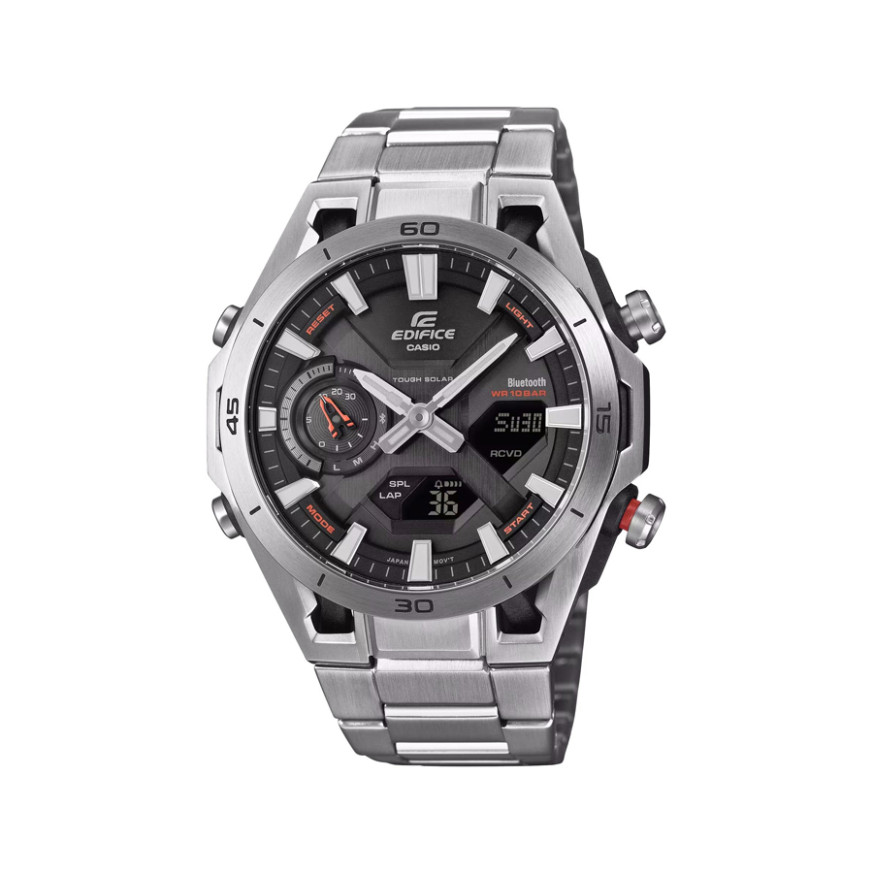
Casio module 5746: user manual and setup (ECB-2300D, ECB-2300DC)
The module number is engraved on the case back of the watch. It is a four-digit number, separate from the model number. If it says 5746, the guide below applies to your watch. It is a retelling of the official Casio manual, and the PDF itself is linked at the end.
Which watches use module 5746
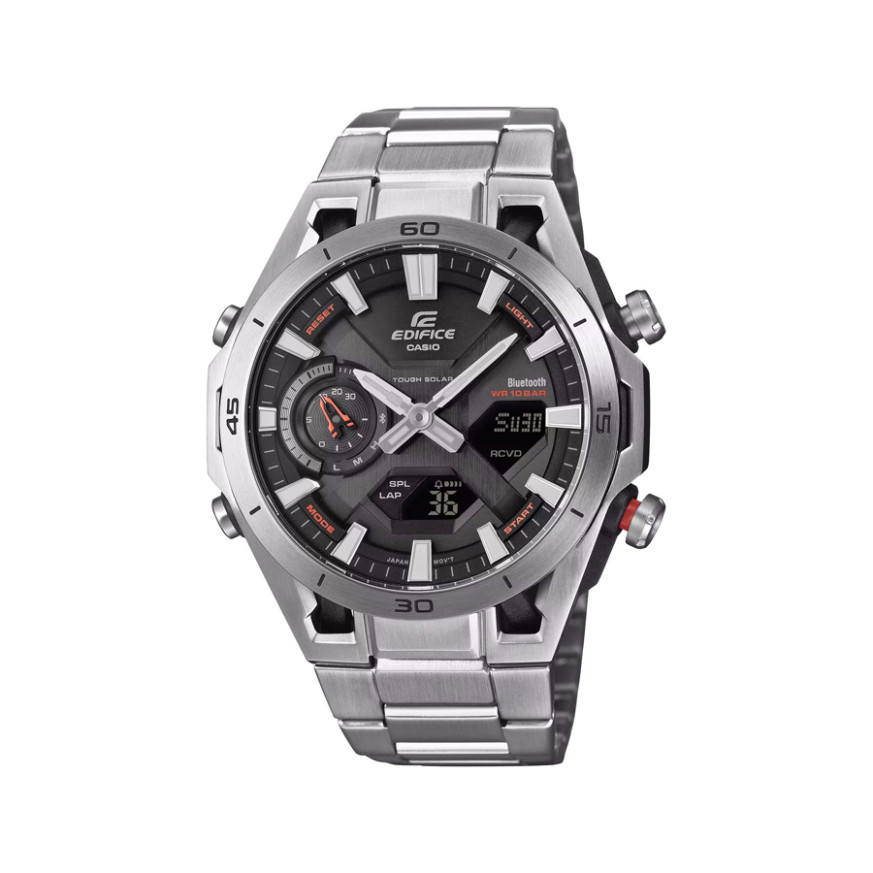
Module 5746 is a combination module: it has analog hands and a digital LCD display. The watch is powered by a rechargeable battery, which is charged by a solar panel in the dial. It connects to a phone via Bluetooth. At Classic, the module is found in these Casio Edifice models from the ECB-2300 series:
- ECB-2300D-1AEF – Casio Edifice ECB-2300D-1AEF
- ECB-2300D-2AEF – Casio Edifice ECB-2300D-2AEF
- ECB-2300DC-1AEF – Casio Edifice ECB-2300DC-1AEF
Buttons, hands and modes
The watch has four buttons, which the manual labels with the letters A, B, C and D.
- A – in Timekeeping Mode, changes the content of the digital display.
- B – turns on the illumination.
- C – each press changes the mode. Holding it for at least one second returns to Timekeeping Mode. Holding it for at least three seconds starts a connection with a phone.
- D – changes the value when a setting screen is open.
There are five modes: Timekeeping, Alarm, World Time, Countdown Timer and Stopwatch. You move between them with button C.
Besides the hour and minute hands, there is a function hand. It shows the battery charge level. During an active phone connection, it points to the phone icon. When 30 minutes or less remain until an alarm or the end of the timer, it shows the remaining time.
The display has indicators for an enabled alarm, an enabled hourly time signal, afternoon time in 12-hour format and daylight saving time. There are separate indicators for split time and lap time in the Stopwatch. One indicator flashes while the hands are moved aside. Another appears when the watch connects to a phone and adjusts the time.
Digital display and moving the hands aside
In Timekeeping Mode, each press of A cycles through three screens: hours and minutes; day of the week and date; seconds.
The hands may cover the display. Hold B and press C to move them aside. To return them, hold B and press C again, or press C to change the mode. If you press nothing for about one hour, the hands return on their own.
How to set the time and date
The manual describes two ways: automatic adjustment via a phone and manual setting with the buttons of the watch.
- Pair the watch with the phone through the CASIO WATCHES app.
- Hold C for at least three seconds. The watch connects to the phone.
- When the connection succeeds, the watch adjusts its time. The display shows the indicator for a successful adjustment.
- To end the connection, press any button.
For manual setting, the values are changed with button D on the corresponding setting screen. The exact sequence is in the section "Using Watch Operations to Adjust the Time" of the PDF file below. The same place describes changing the Home City and the daylight saving time setting. If the hands do not match the digital time, the manual has a section on hand alignment. It can be done from the watch or from CASIO WATCHES.
World Time
World Time Mode shows the time in one of 38 time zones. The list can be updated during a phone connection. The manual describes changing the World Time city, swapping Home Time and World Time, and moving to another zone. The cities can also be set through CASIO WATCHES.
Alarm and hourly time signal
The alarm sounds at a time you set. The hourly time signal is enabled separately and has its own indicator on the display. The settings are made from the watch or from CASIO WATCHES. When 30 minutes or less remain until the alarm, the function hand counts down the remaining time. When the battery is low, the sounds are disabled.
Stopwatch
The Stopwatch measures in 1/100 second units during the first hour and in one-second units after that. The maximum time is 24 hours. It supports split times and lap times, each with its own indicator on the display. The recorded data can be viewed in CASIO WATCHES.
Countdown Timer
The Countdown Timer counts down from a start time you set. A signal sounds at zero. The start time is set from the watch or from CASIO WATCHES. The tone at the start of the countdown can be turned off. When 30 minutes or less remain until the end, the function hand shows the remainder.
Illumination
Press B for illumination. The duration can be selected between 1.5 and 3 seconds. When the battery is low, the illumination does not work.
Solar charging and battery
The solar panel is in the dial and generates power whenever it is exposed to light. When you are not wearing the watch, leave it in a bright place. Make sure your sleeve does not cover the dial, because even partial covering reduces charging.
Do not charge the watch at a temperature above 60 °C. The manual lists the dashboard of a car in the sun, incandescent lamps, halogen lamps and prolonged direct sunlight. Overheating can damage the watch.
The charge level is read from the function hand in Timekeeping Mode: high, medium or low. Approximate times for one day of operation: 8 minutes at 50,000 lux, 30 minutes at 10,000 lux, 48 minutes at 5,000 lux and 8 hours at 500 lux.
- A flashing [LOW] means a low battery. Illumination, sounds and the phone connection stop.
- A flashing [CHG] means an even lower charge. The hands stop at 12 o'clock and all functions are disabled. Leave the watch in a bright place until the Timekeeping screen appears.
- A flashing [R] means a temporary stop of everything except timekeeping due to high momentary power consumption. The hands are stopped and the buttons do not work.
- When the battery is fully depleted, the display goes blank. The data in memory is lost and the settings return to factory defaults.
There is also a power saving function. It activates if the watch stays in the dark for about one hour between 22:00 and 6:00. Its setting is changed from the watch menu.
Other settings and phone functions
From the watch you can set the day of the week language, the button operation tone and a reset to factory settings. Through CASIO WATCHES you can do automatic time adjustment and the World Time, alarm and timer settings. The app also has a phone finder function and a record of the current location (TIME&PLACE). The list of supported phones is in the PDF file.
The original Casio manual (PDF)
Casio module 5746 manual (PDF, English) – this is the official Casio document with the full steps for every function.
Casio at Classic. Browse all Casio watches at Classic or find your module in the manuals for all Casio modules. You can see the watches in person at Boutique CLASSIC on Knyaz Boris I 32 and at Mall Varna.